7 Operations of CEMS2000 Monitoring Software
78
FOCUSED PHOTONICS INC
“Save” button to save the current settings and click the “Close” button to return to the main
window.
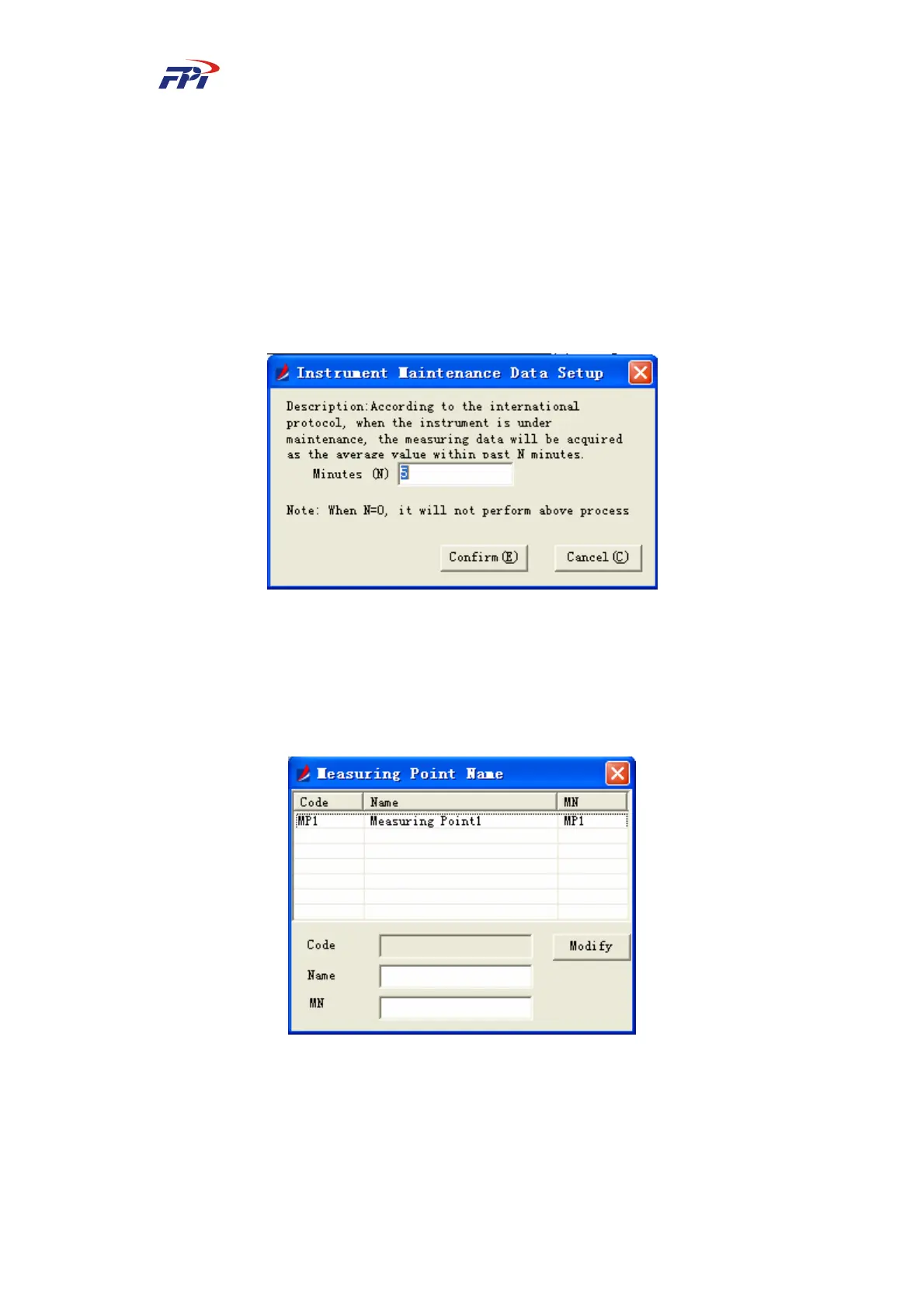
7.2.2.8 Data Configuration during Instrument Maintenance
During the maintenance of the system, the system will take the normal average measured
value of previous N minutes as the current measured data. You can set the range of the previous
minutes for the data configuration during maintenance, as shown in Fig 7-32 and click the “OK”
button to finish the configuration.
Fig 7-32 Data Configuration during Instrument Maintenance
7.2.3 Naming of Measuring Point
This function is used for editing the names of measuring points, including the codes, names
and MNs, as shown in Fig 7-33.
Fig 7-33 Naming of Measuring Point
To edit the name of the measuring point:
Select the relevant measuring point and edit the name and MN of the measuring point. Click
the “OK” button to save the changes.



 To Next Page