6 Operations of OMA-2000 Spectroscopic Gas Analyzer
27
FOCUSED PHOTONICS INC
6 Operations of OMA-2000
Spectroscopic Gas Analyzer
6.1 Operation Panel
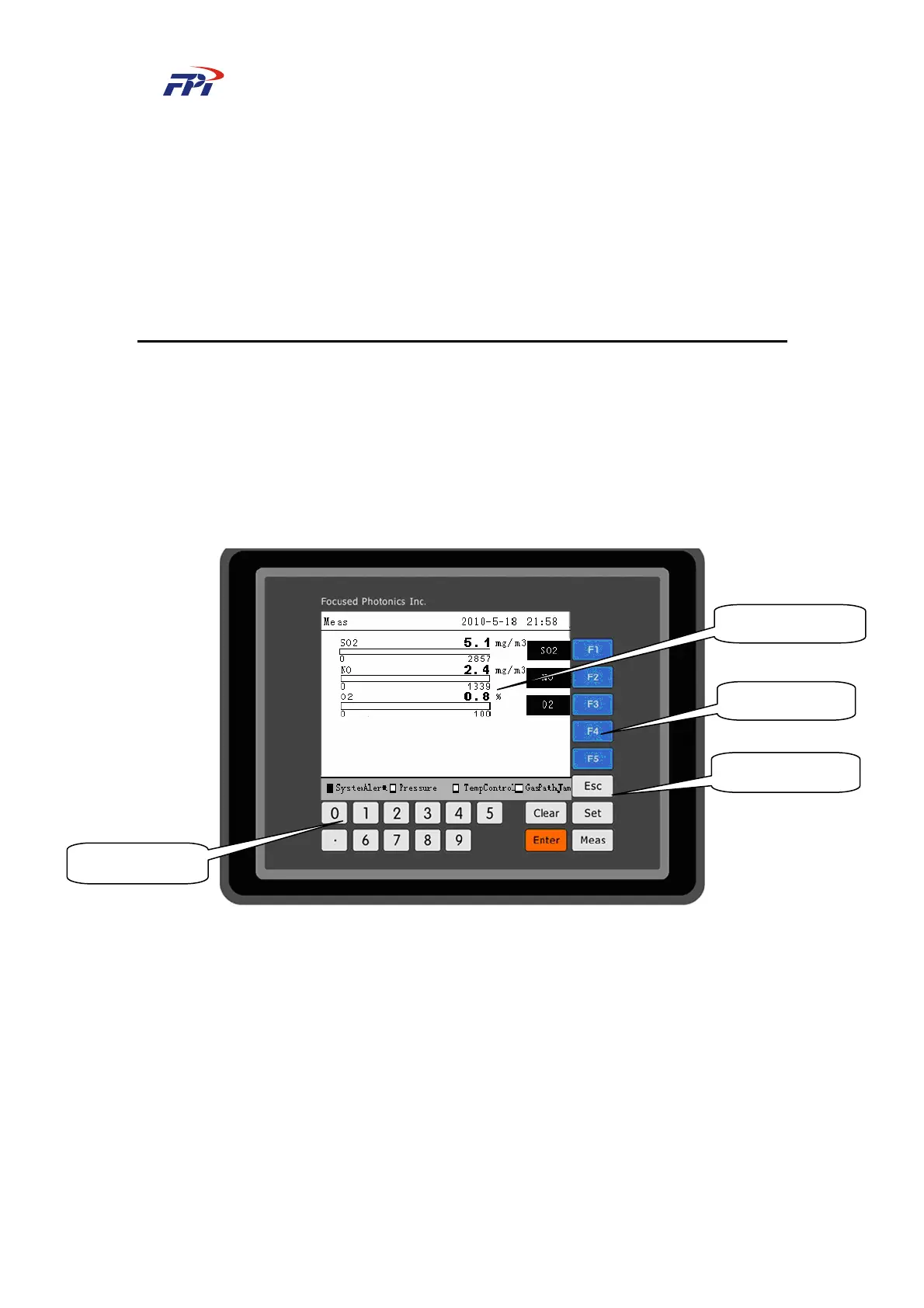
The operation panel of OMA-2000 spectroscopic gas analyzer is designed as a 320×240 LCD
with touch buttons. The users can check the information like the gas density, time and alarms and
finish the settings, as shown in Fig 6-1.
Fig 6-1 Operation Panel of OMA -2000 Optical Fiber Spectrum Analyzer
The operation panel of OMA-2000 optical fiber spectrum analyzer is composed of four parts:
information area, selection buttons, function buttons and number buttons.
z Information Area
The information area displays different information on different pages:
Main page: displays the density value of all the compositions
Instrument settings page: displays the instrument setting options
Composition settings page: displays the management options of this gas composition
z Selection Buttons
Function Buttons
Information Area
Selection Buttons
Number Buttons



 To Next Page