6 Operations of OMA-2000 Spectroscopic Gas Analyzer
54
FOCUSED PHOTONICS INC
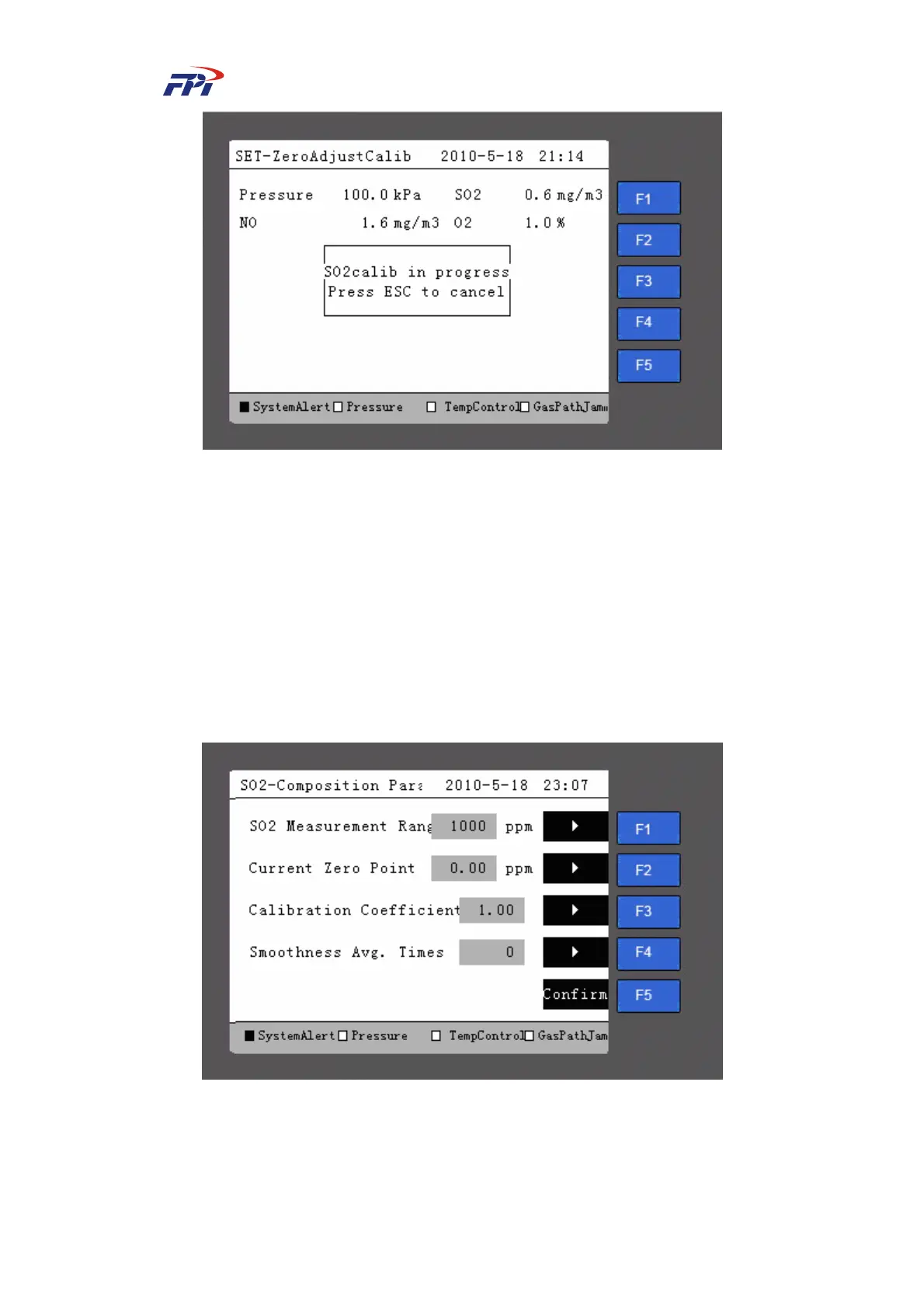
Fig 6-39 Manual Calibration in Progress
Step 21 Press the “ESC” button to cancel the calibration progress. After the calibration is
ended, the system will return to the previous page as shown in Fig 6-38 but the
prompt of “Confirm calibration?” is not available.
6.6.2 Composition Parameter
You can set the SO
2
range, zero point, calibration coefficient and smoothness average times
in the composition parameter setup page, as shown in Fig 6-40. Press the relevant button for the
parameter to enter the parameter setup page.
Fig 6-40 Composition Parameter Setup
The meanings of items on this page are:
z SO
2
range: The maximum value of the gas density which can be set;



 To Next Page