6 Operations of OMA-2000 Spectroscopic Gas Analyzer
42
FOCUSED PHOTONICS INC
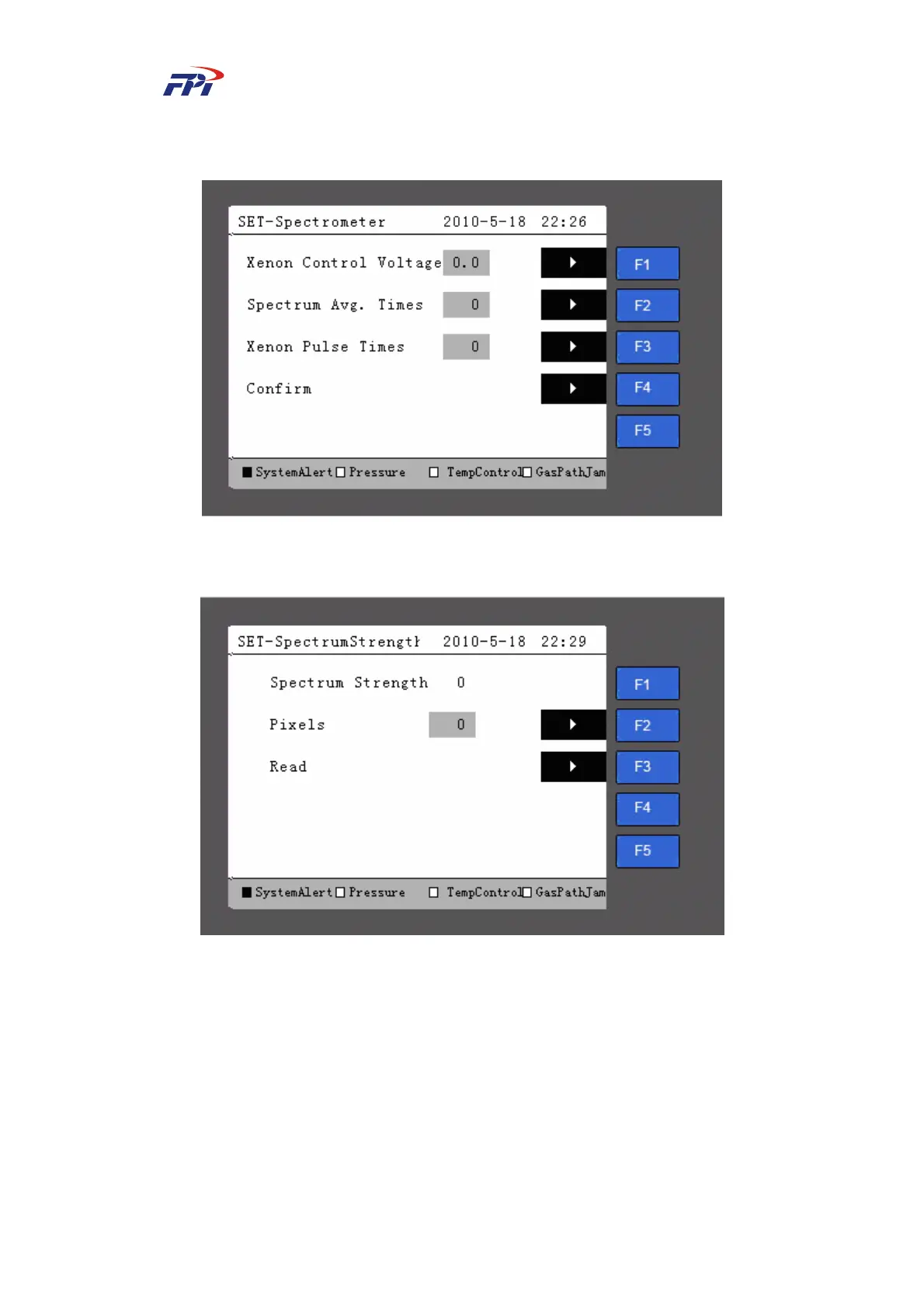
¾ Xenon light pulse times: Set the pulse times for the xenon light within the range of
1~10.
Fig 6-20 Spectrometer Parameter Setup
z Spectrum strength: Check the spectrum strength of a pixel, as shown in Fig 6-21.
Fig 6-21 Checking Spectrum Strength
Please follow the steps below to check the spectrum strength:
Step 12 Press the “F2” button and set the pixel using the number buttons within the range
of (1~511);
Step 13 Press the “Enter” button to confirm the setup and press the “F3” button to read the
spectrum strength of the pixel.
z Pressure: Display the current pressure and pressure input method in the pressure room,
as shown in Fig 6-22.



 To Next Page