6 Operations of OMA-2000 Spectroscopic Gas Analyzer
43
FOCUSED PHOTONICS INC
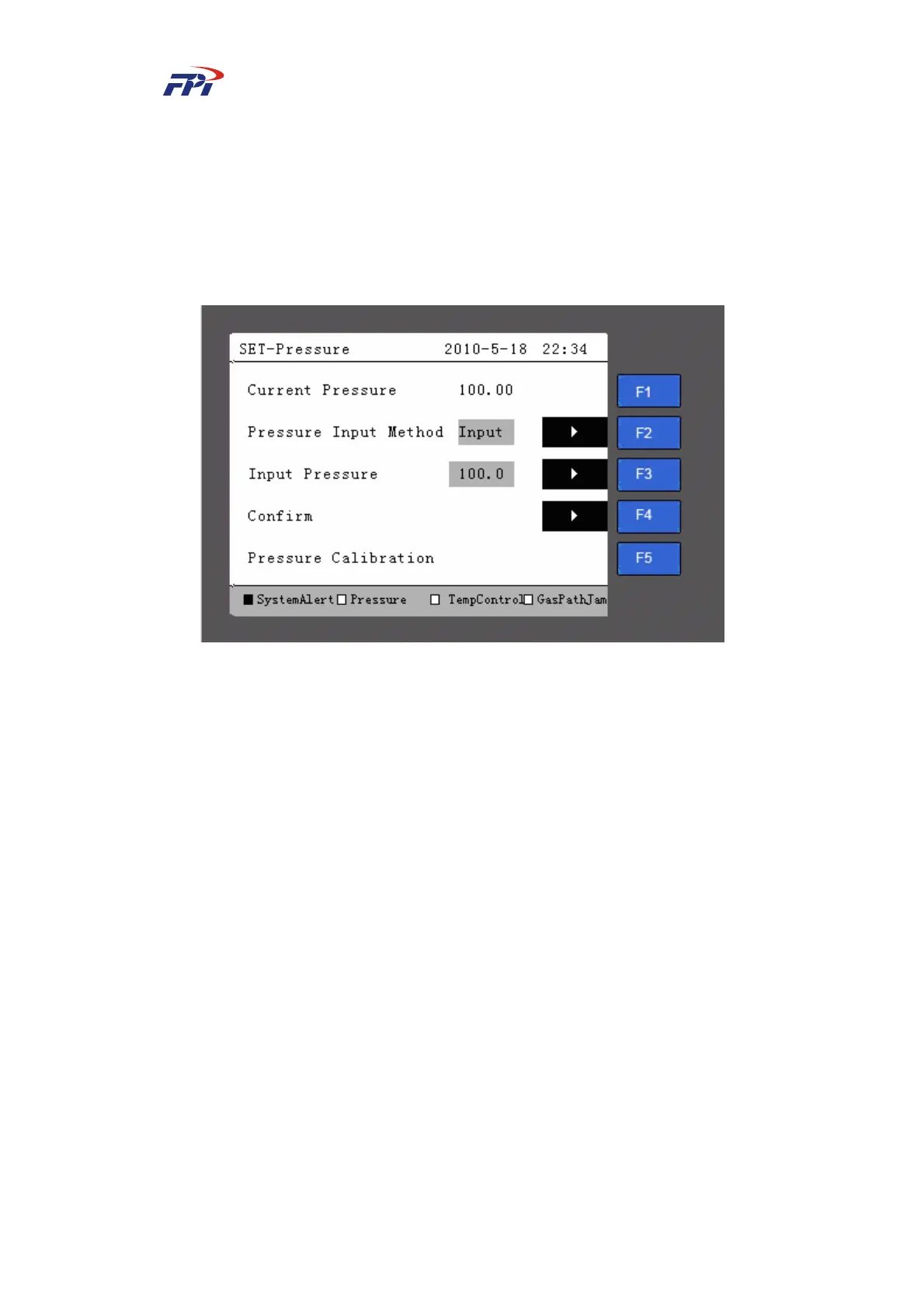
¾ Current pressure: Display the pressure in the pressure room.
¾ Pressure input method: The pressure input method can be set to be measuring input
and manual input. When the measuring input is selected, the system measures the
pressure from internal pressure sensor while when the manual input is selected the
user can manually input the pressure value.
¾ Pressure calibration: Press the “F3” button to calibrate the pressure.
Fig 6-22 Pressure Parameter Setup
z Temperature: The system can displays the temperature in the gas room and set the
temperature input method on the temperature parameter setup page, as shown in Fig
6-23.
¾ Current temperature: Display the temperature in the gas room;
¾ Temperature input method: The temperature input method can be set to be
measuring input or manual input.



 To Next Page