6 Operations of OMA-2000 Spectroscopic Gas Analyzer
52
FOCUSED PHOTONICS INC
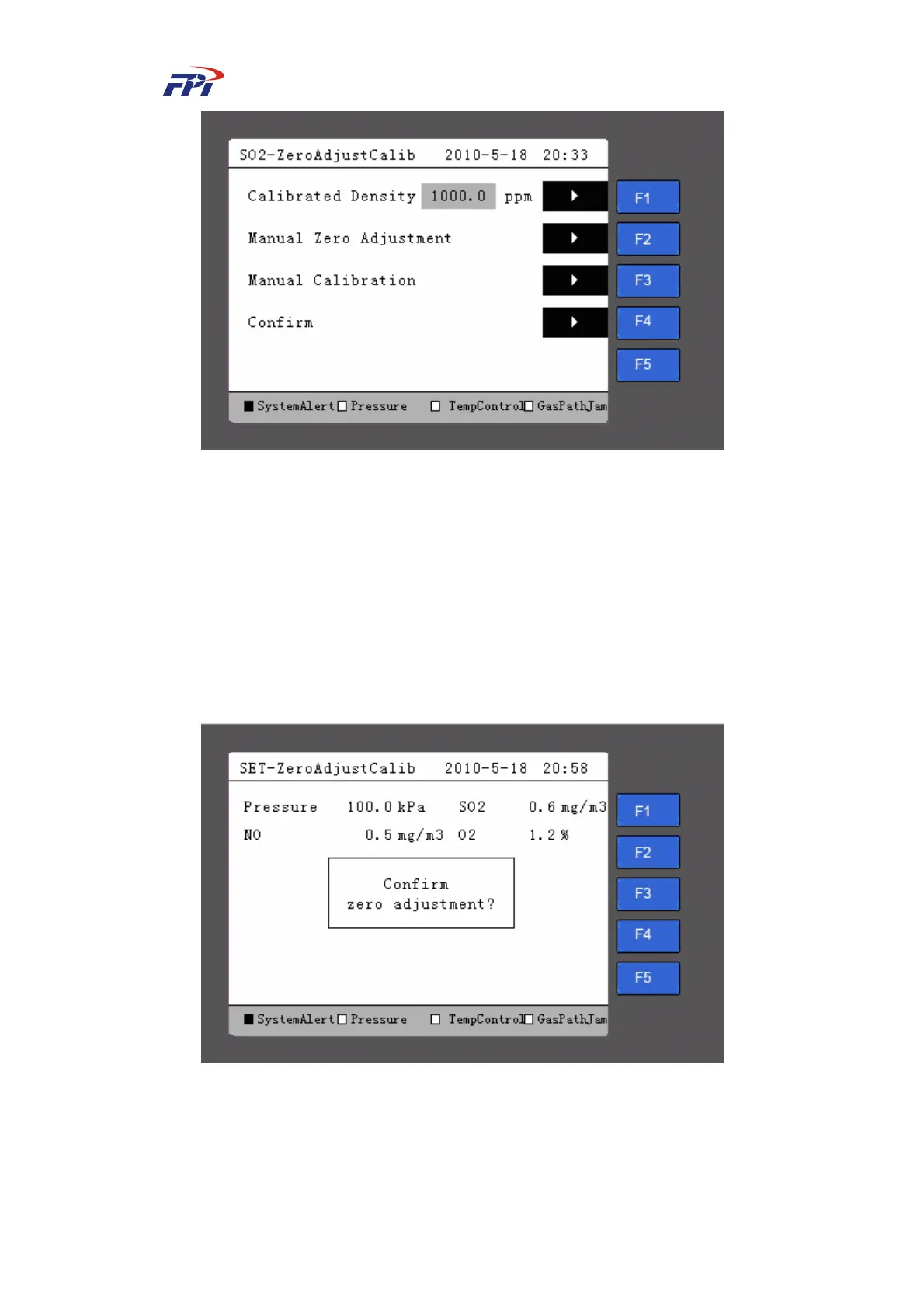
Fig 6-35 Zero Adjustment / Calibration Setup
The meanings of items on this page are:
z Calibration density: Set the density of the standard gas within the range of (0~50000)
ppm;
z Manual zero adjustment: Perform manual zero adjustment operations.
Please follow the steps below for manual zero adjustment:
Step 16 Press the “F2” button to enter the manual zero adjustment page, as shown in Fig
6-36.
Fig 6-36 Zero Adjustment
Step 17 Press the “Enter” button on the page of zero adjustment to start adjustment, as
shown in Fig 6-37.



 To Next Page