6 Operations of OMA-2000 Spectroscopic Gas Analyzer
29
FOCUSED PHOTONICS INC
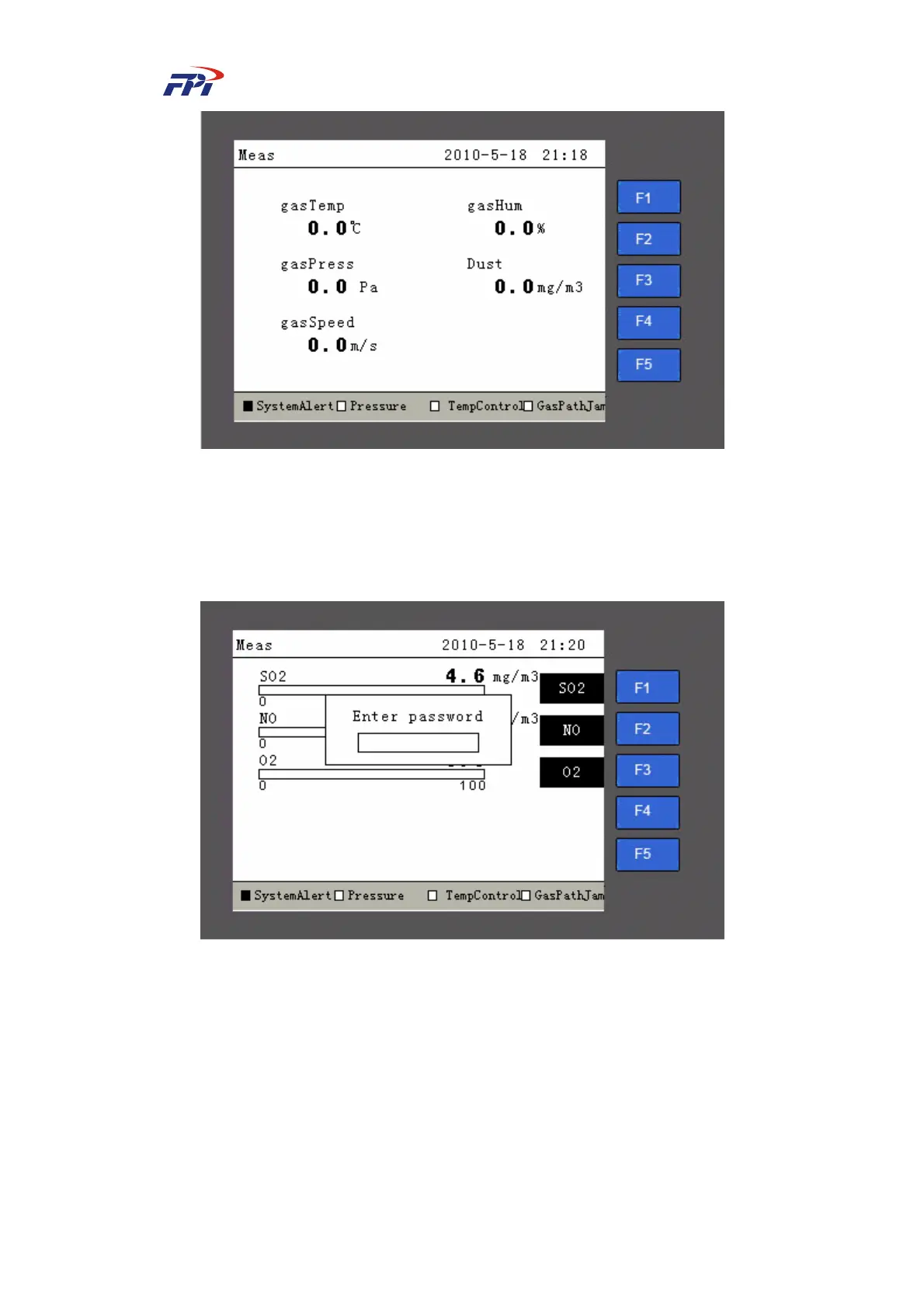
Fig 6-2 Main Page
Here we take the “Change Password” for example to introduce the usage of above buttons:
Step 1 Press the “Set” button on the main page. The system will automatically display the
password input dialog box, as shown in Fig 6-3.
Fig 6-3 Main Page (Input Password)
Step 2 Input the password using number buttons in the dialog box shown in Fig 6-3. The
default password is 111111. After the password is input correctly, press the “Enter”
button to enter instrument setup;
Step 3 On the instrument setup page, press the “F5” button to enter the next page of setup
and press the “F2” button to enter the changing password page, as shown in Fig
6-4.



 To Next Page