7 Operations of CEMS2000 Monitoring Software
66
FOCUSED PHOTONICS INC
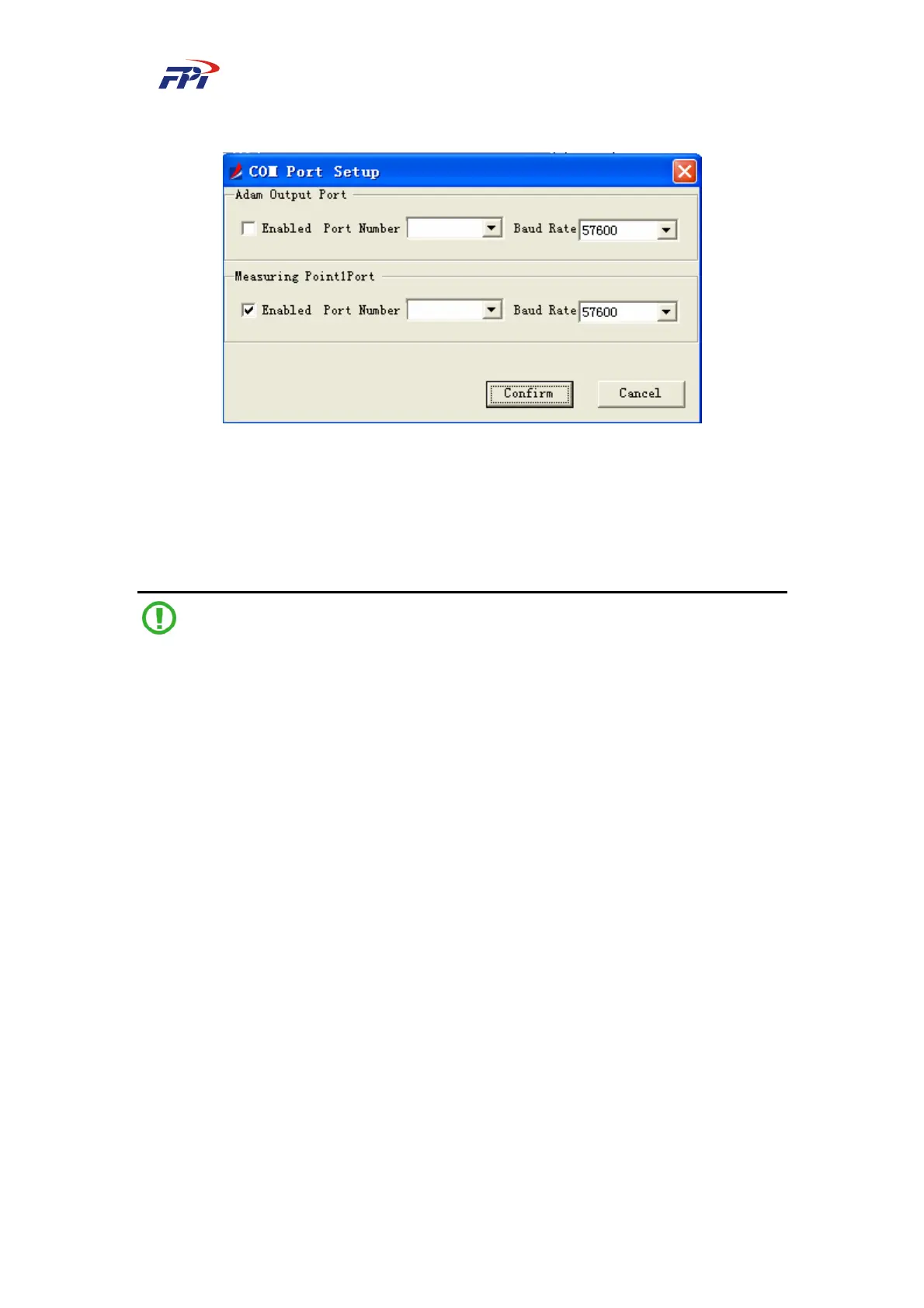
Fig 7-14 COM Port Configuration
The configuration of COM port should be set as below:
According to the connected devices, select the “Enabled” check boxes and select the port and
baud rate for it. Then click the “OK” button to confirm the setup or click “Cancel” button to exit
the configuration and back to the main window.
Note:
The select ports shall not be conflict with each other.
7.2.1.2 Remote Output Configuration
This configuration offers the remote data output function. You can select the output link of
remote data with options of single-channel GPRS, multi-channel GPRS and TCP/IP.
The GPRS output is sent via wireless network while the TCP/IP output is sent via Ethernet
cables, as shown in Fig 7-15.



 To Next Page