7 Operations of CEMS2000 Monitoring Software
65
FOCUSED PHOTONICS INC
7.2 System Configuration
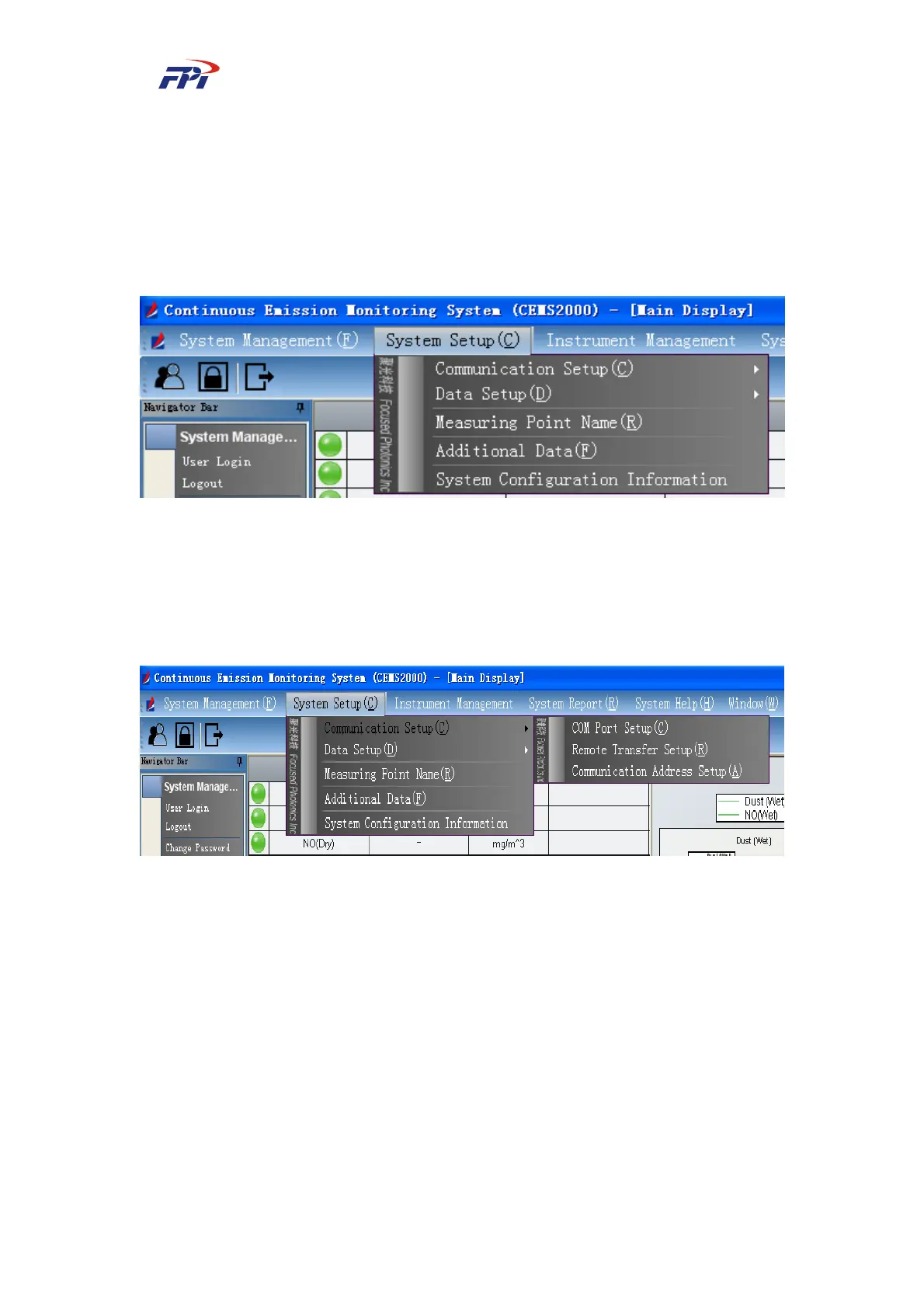
The users can configure the system in the menu of system configuration, including 5
sub-menus which are: communication setup, data setup, measuring point naming, filling history
data and system configuration information, as shown in Fig 7-12.
Fig 7-12 System Configuration Menu
7.2.1 Communication Setup
Users can configure the system communication parameters in the communication setup menu
including the configuration of COM port and remote output, as shown in Fig 7-13.
Fig 7-13 Communication Setup
7.2.1.1 COM Port Configuration
The COM port configuration manages all the COM ports on the IPC and configures the
different COM port and baud rate according to the field conditions. The device can be connected
to the COM port are: Adam module, measuring point port, remote output device, etc., as shown in
Fig 7-14.



 To Next Page