7 Operations of CEMS2000 Monitoring Software
58
FOCUSED PHOTONICS INC
Table 7-1 Initial Passwords and Permissions of CEMS-2000 Monitoring Software Users
User Type Initial Password Operation Permissions
Administrator 1111 All functions
User 0000
All functions except:
z System configuration;
z Logout, log configuration and advanced settings under
system management menu;
z Instrument parameter and instrument control under
instrument management menu;
z Report parameter setup under system report menu.
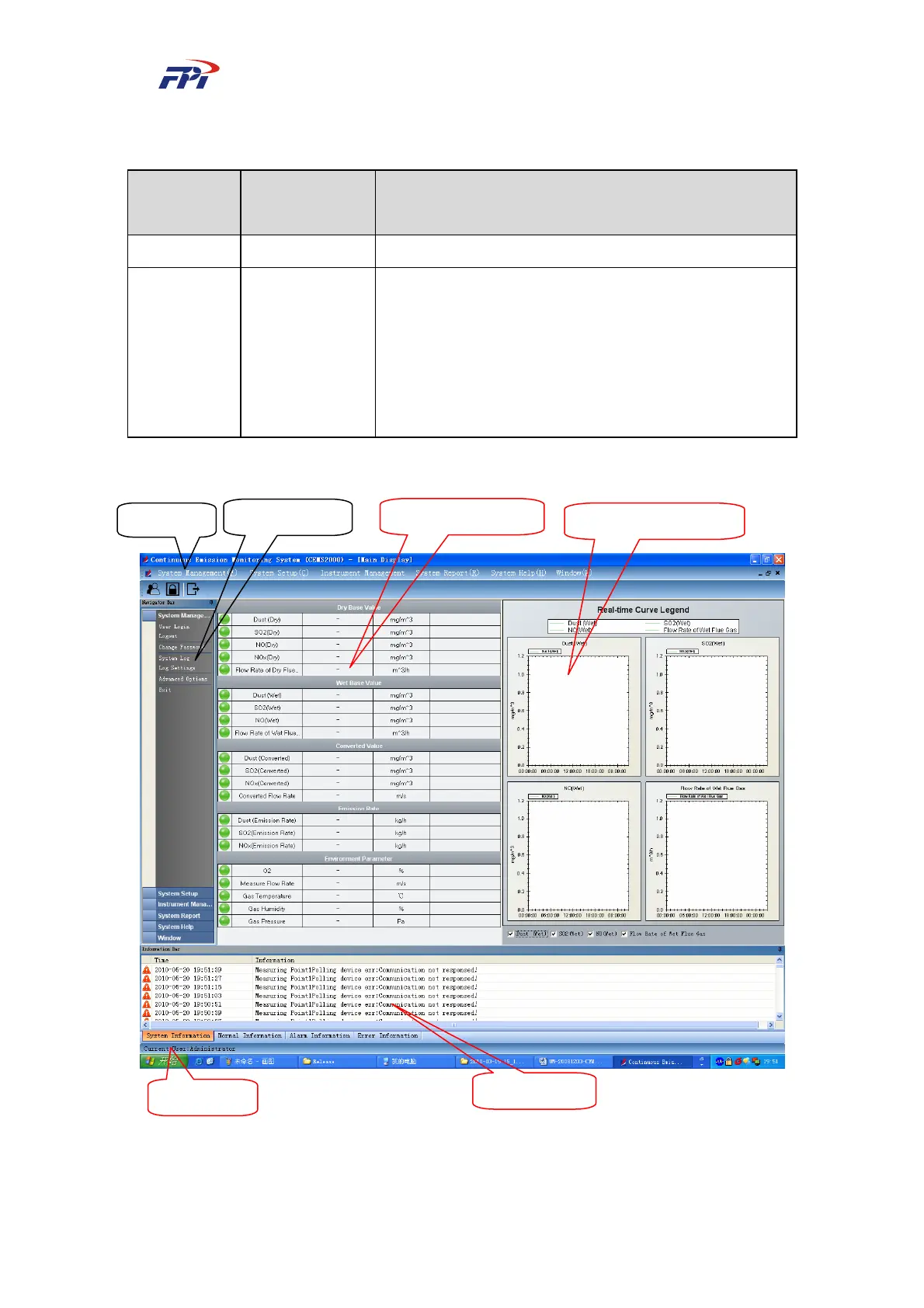
Fig 7-2 Main Menu and Main Window
Menu Ba
Navi
ation Ba
Real-time Data Area
Real-time Curve Area
Status Ba
Information Ba



 To Next Page