6 Operations of OMA-2000 Spectroscopic Gas Analyzer
36
FOCUSED PHOTONICS INC
6.5 Instrument Setup
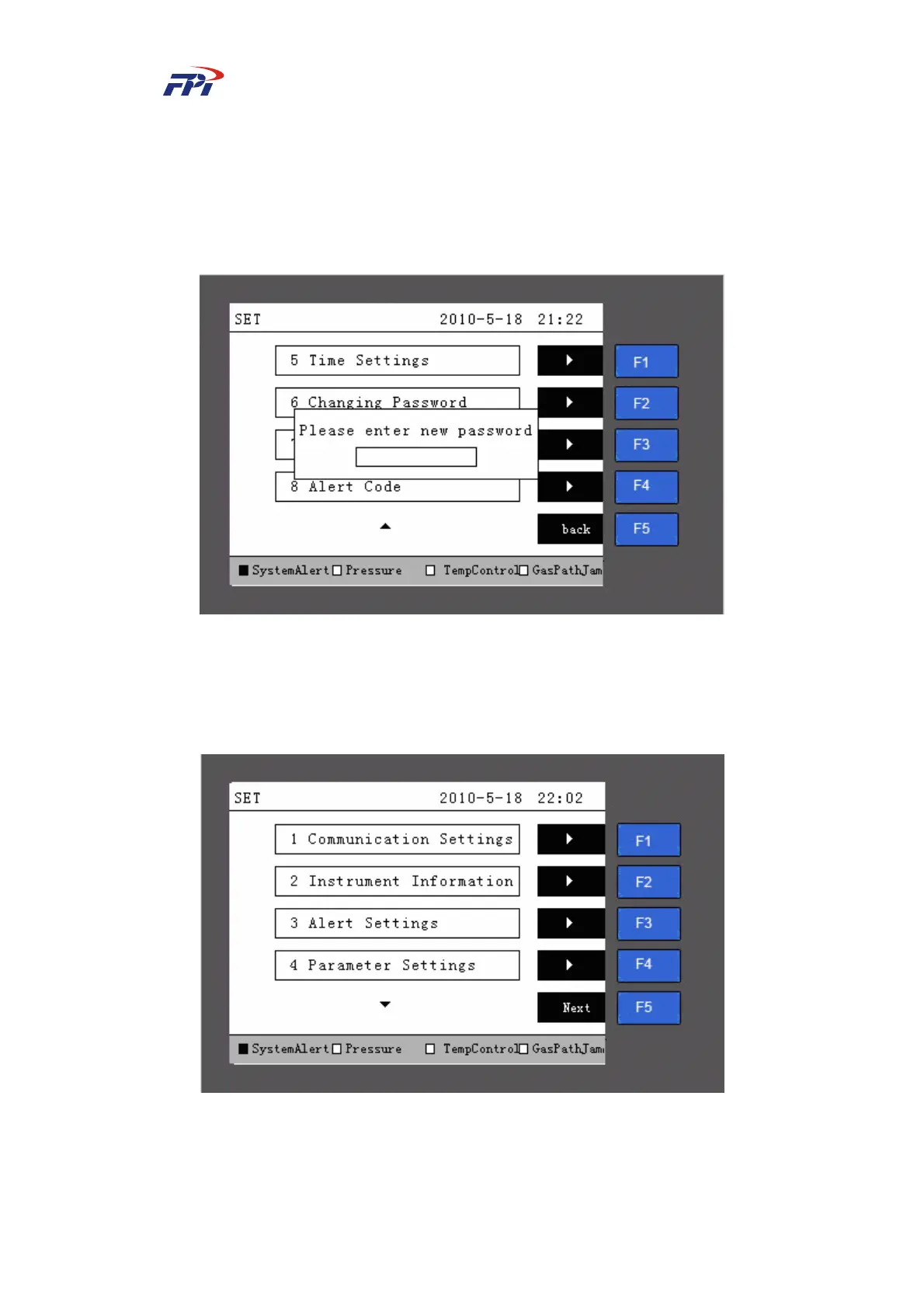
When the user requires to operate OMA-2000 analyzer on instrumental level, he can press the
“SET” button on the main page and the system will display a password input box (the initial
password is 111111), as shown in Fig 4.9.
Fig 6-10 Password Input Page
Input the password using the number buttons and press the “Enter” button to enter the
instrument setup page, as shown in Fig 6-11 and Fig 6-12. The Fig 6-12 will be displayed after
pressing “F5” in Fig 6-11.
Fig 6-11 Instrument Setup Page 1



 To Next Page