5 System Operations
25
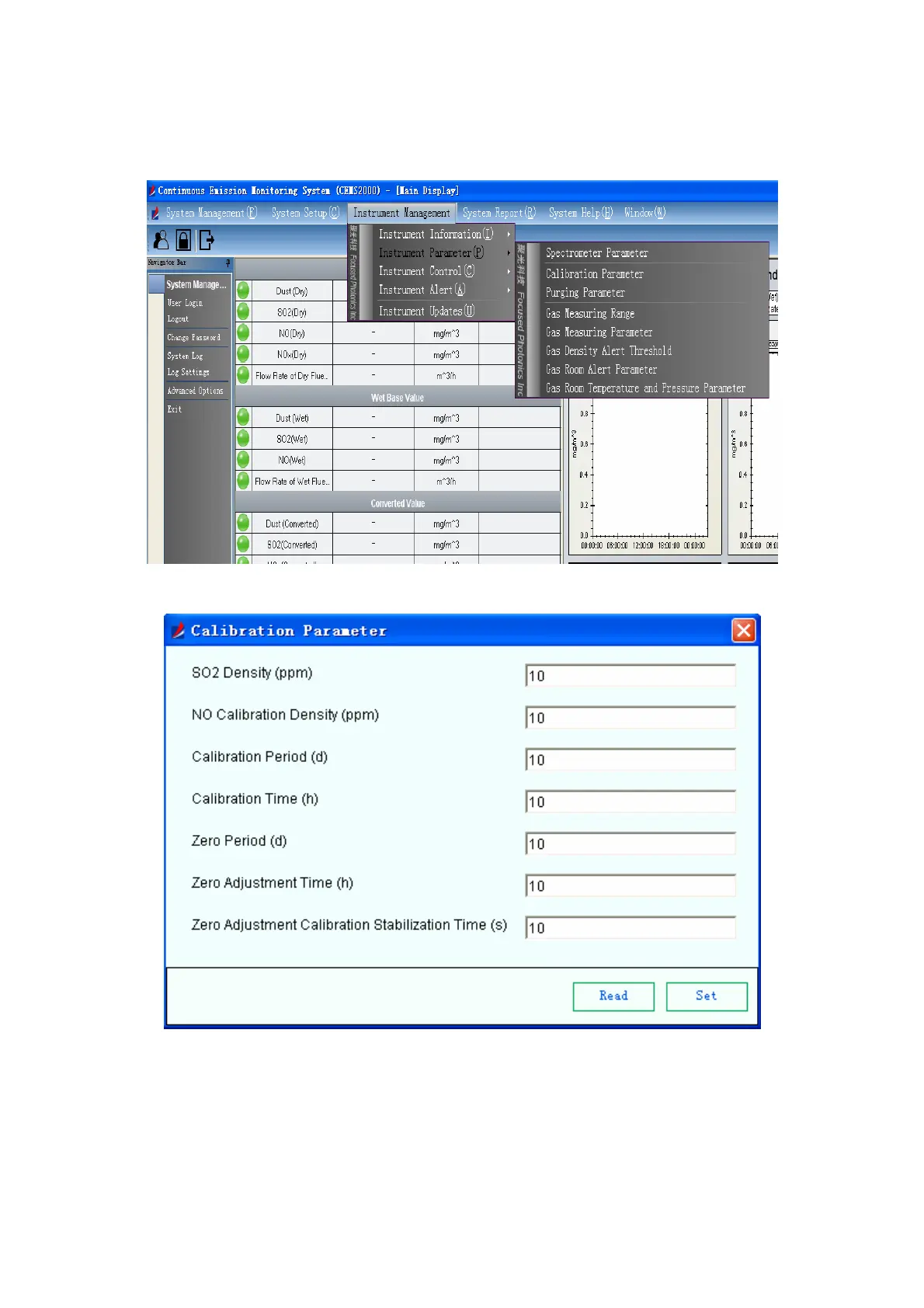
“Instrument Management Æ Instrument Parameter Æ Calibration Parameter” to enter the
automatic calibration page.
Fig 5-19 Calibration Parameter Menu
Fig 5-20 Calibration Parameter Settings
The meanings of items in the page:
z Calibration density of SO
2
: Set the calibration density of SO
2
z Calibration density of NO: Set the calibration density of NO
z Calibration interval: Set the interval between two automatic calibration;



 To Next Page