5 System Operations
20
Click the “Prepare” button to open the zero adjustment electro-valve. Then adjust the flow
rate meter for the standard gas at bottom left of the cabinet front panel to control the flow rate at
(1.5~2) L/min and click the “OK” button to remotely adjust the zero point.
5.3.3.3 Auto Zero Adjustment on CEMS-2000 Monitoring Software
You can configure the auto zero adjustment parameters on CEMS-2000 monitoring software
and the system will periodically perform zero adjustment according to the settings. You can click
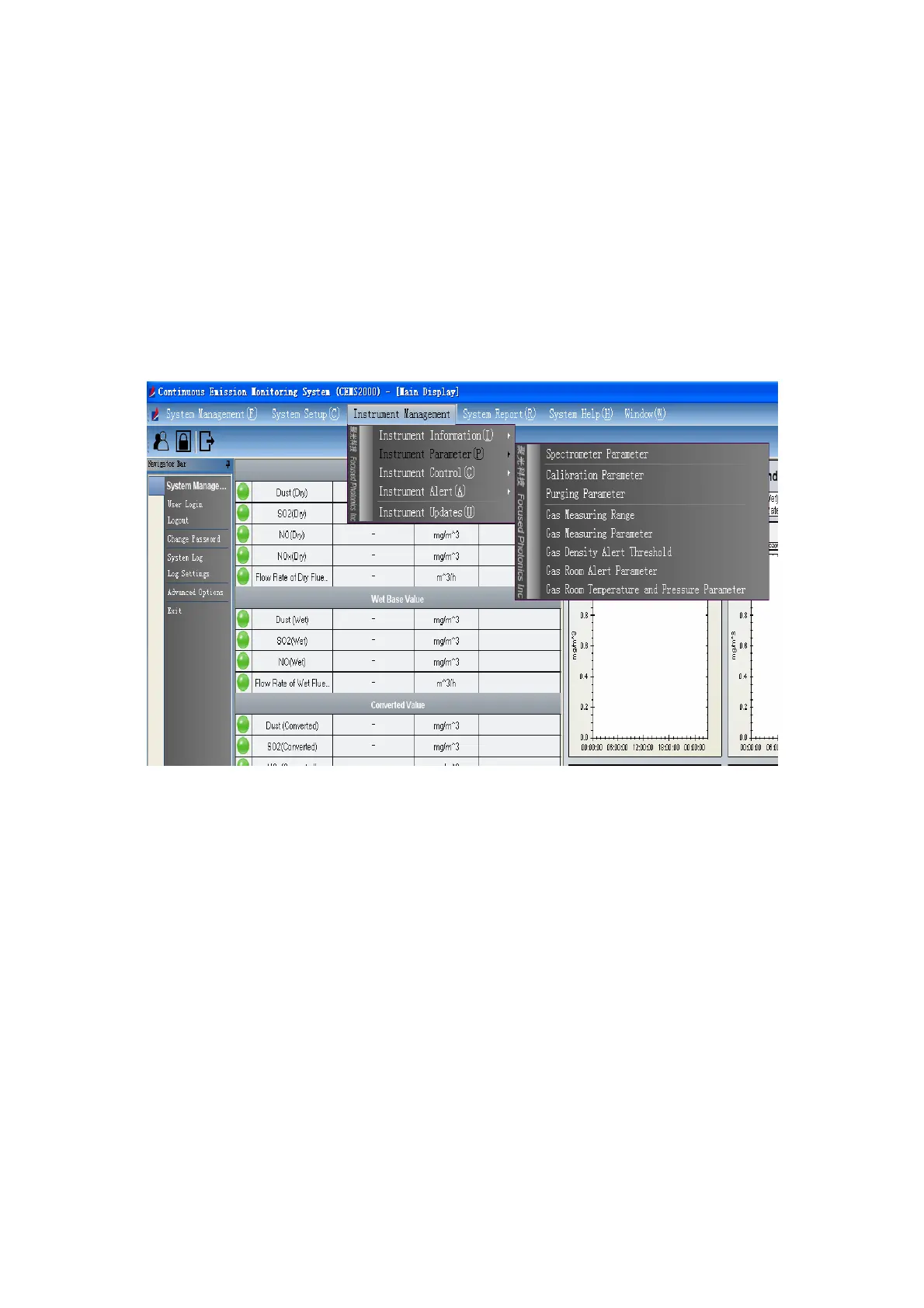
“Instrument Management Æ Instrument Parameter Æ Calibration Parameter” to enter the
automatic zero adjustment page, as show in Fig 5-11 and Fig 5-12.
Fig 5-11 Calibration Parameter Menu



 To Next Page