

 Need help?
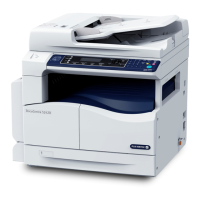
Do you have a question about the Fuji Xerox DocuCentre S2110 and is the answer not in the manual?
 General
| Brand | Fuji Xerox |
|---|---|
| Model | DocuCentre S2110 |
| Category | All in One Printer |
| Language | English |
Covers USB, Ethernet connections, and network IP settings.
Describes account modes and login procedures for job management.
Provides step-by-step instructions for loading paper into trays and bypass.
Covers basic copy procedures and advanced settings like pages per side, collated, etc.
Guides on changing machine settings and entering admin mode.
Provides instructions for replacing toner and drum cartridges.
A flowchart to diagnose and resolve common machine issues.
Lists symptoms, causes, and remedies for various malfunctions.
Addresses problems related to poor print or scan quality.
Solutions for network, internet, and IP connection problems.
Explains error codes and procedures for clearing paper and document jams.








 To Next Page