Loading Paper
73
Loading Paper
4
z
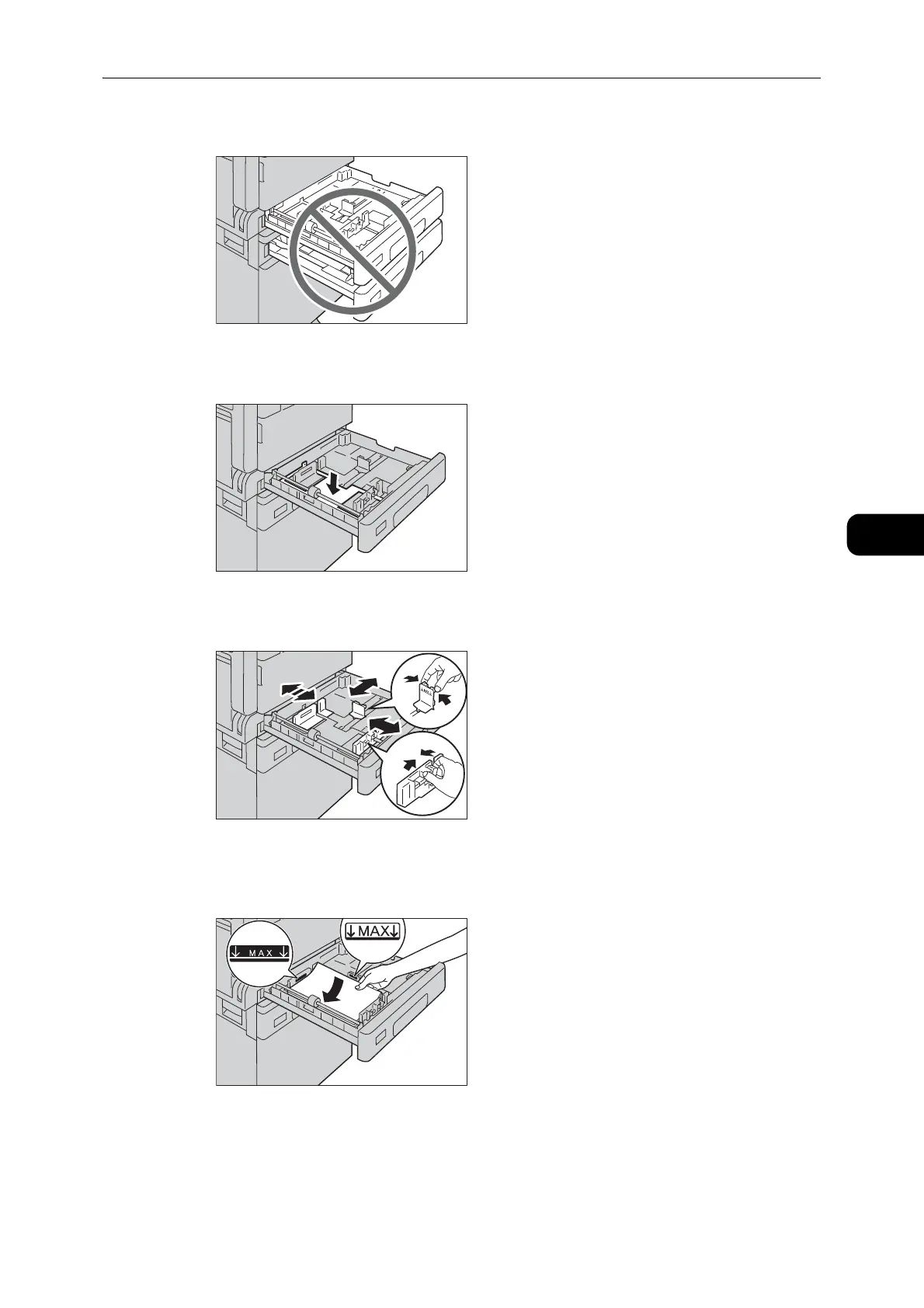
Pulling out all the trays at once may cause the machine to tilt or fall, causing injury.
2 For Tray 1, push down the metal plate.
3 Adjust the paper guides to the correct position before loading paper.
4 Load paper with the side to copy or print on facing up. Align the leading edge of paper with
the left side of the tray.
z
Do not load paper above the maximum fill line. It may cause paper jams or machine malfunctions.
z
Do not place any paper or objects in the empty space on the right side of Tray 1 or 2. It may cause paper
jams or machine malfunction.


 To Next Page
 Loading...