110 G-TECH / Pro Competition User Guide, Release 3.1
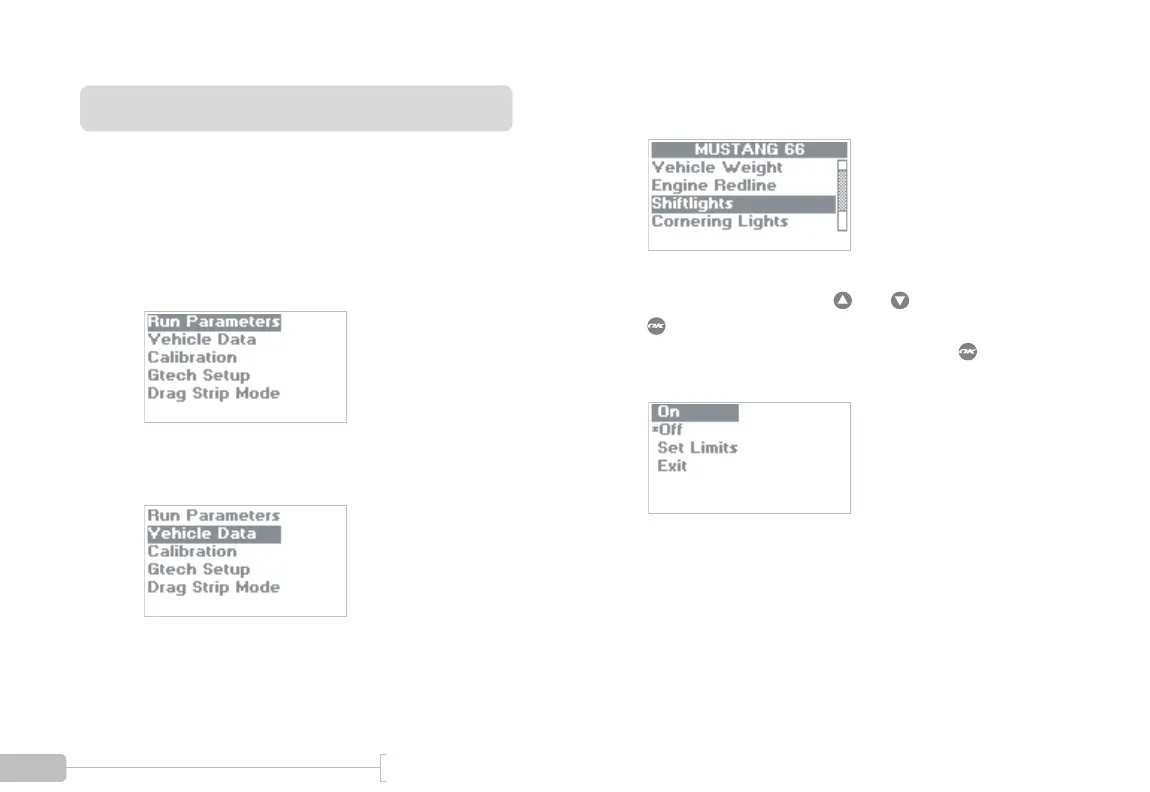
Enabling / Disabling Shiftlights
Use the following procedure for enabling/disabling the
Shiftlight LEDs. (Refer to page 21 for information on setting
the RPM shiftlight shiftpoint.)
1
Start in Configuration Mode.
2
Select “Vehicle Data”.
3
Select “Shiftlights”.
4
Select On or Off by using and , then press
to make your selection. An asterisk (*) indicates
your current choice. Select “Exit” and press
when done.



 To Next Page