58 G-TECH / Pro Competition User Guide, Release 3.1
Saving a run / default name
As mentioned before, once you finish a run, you will press
to view the Run Viewing Menu (Figure 18 on page 55).
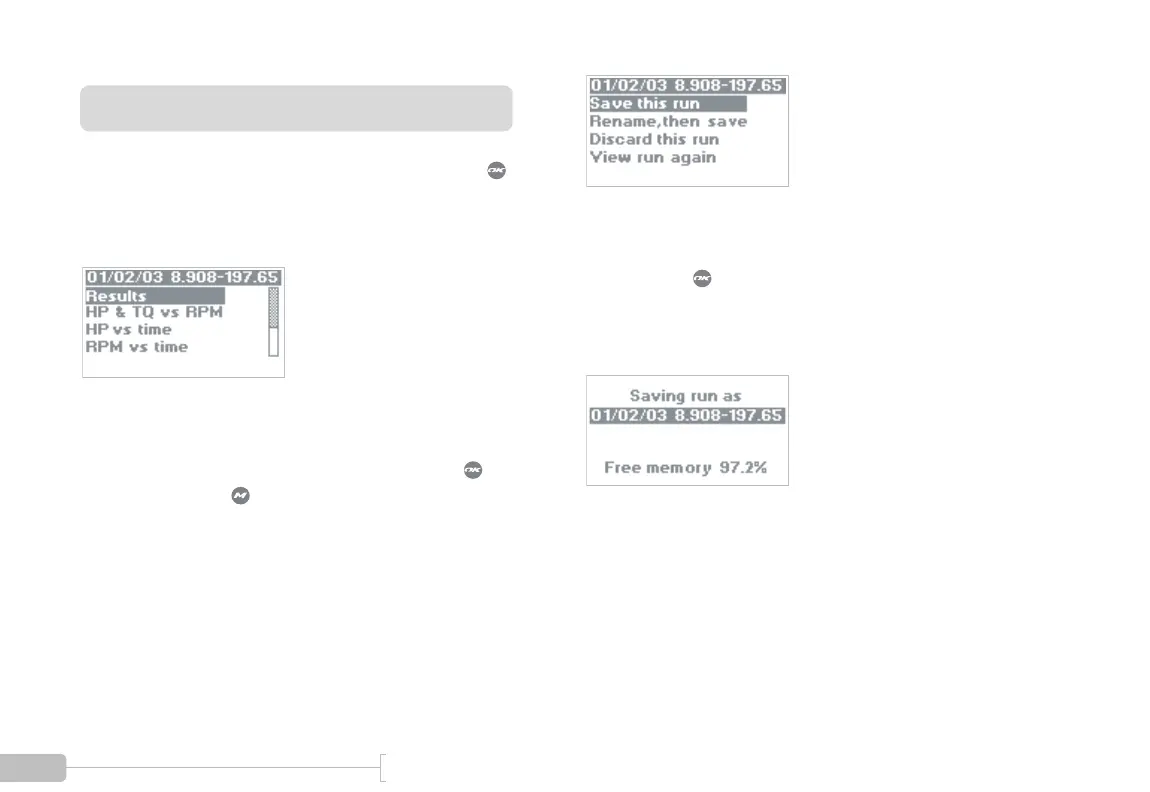
You will be presented with a menu similar to Figure 23:
Figure 23: G-tech Run Viewing menu
To reach the Run Save Menu at this point, you can either
scroll down to the menu item labeled “Exit” and press , or
you can simply press . Now you will see the G-tech Run
Save menu (Figure 24):
Figure 24: G-tech Run Save menu
To save the run with the standard name, select “Save this
run” and press .
The G-tech will display a message as shown in Figure 25 as it
saves all the run data into its internal memory.
Figure 25: G-tech display while run is being saved
Notice that the G-tech gives you an update on how much
free memory you have left after saving the run.



 To Next Page