Multiple Vehicles
123 G-TECH / Pro Competition User Guide, Release 3.1 123
Selecting a Vehicle
As mentioned earlier, the G-tech stores information specific
to as many as four different vehicles.
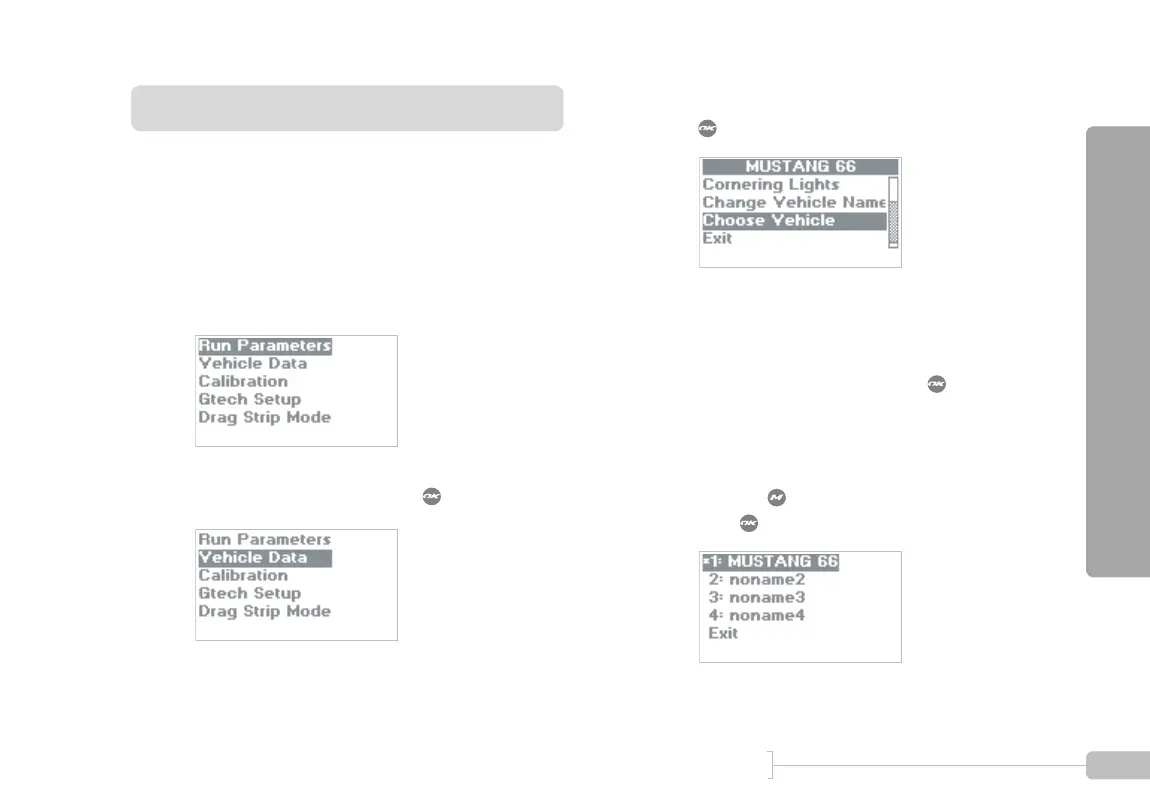
Use the procedure below to select a different vehicle.
1
Start in Configuration Mode.
2
Select “Vehicle Data” and press .
3
Scroll down and select “Choose Vehicle” and press
.
4
You will see a screen similar to the following.
An asterisk (*) identifies the active vehicle.
To select a different vehicle, move the highlight bar
to the desired vehicle and press . The G-tech
will immediately re-configure itself to use the infor-
mation for the new vehicle and display the Config-
uration Mode main menu.
To exit without selecting a different vehicle, either
press the button, or go down to “Exit,” and
press .



 To Next Page