Acceleration Runs
53 G-TECH / Pro Competition User Guide, Release 3.1 53
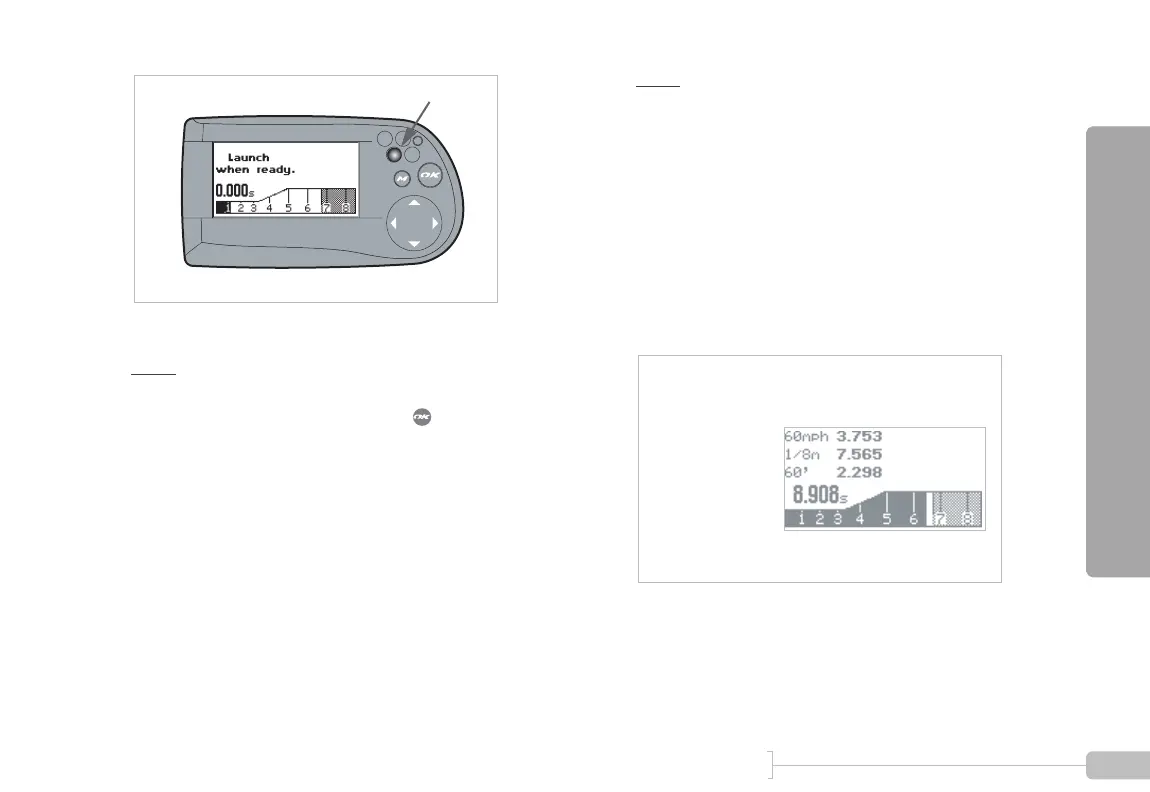
Figure 15: G-tech is staged and ready to go
Note: If your G-tech continues to read “Staging...” for more
than 1 second after the screen in Figure 14 appears, the accel-
erometers need to be re-calibrated. Press to go back to the
G-Window screen with the tachometer and refer to “Calibrating
Accelerometers” on page 28 for details on this procedure.
To begin an acceleration run, press the throttle and acceler-
ate your vehicle briskly off the line.
The G-tech will detect the forward acceleration and auto-
matically start the E.T. clock. The blinking LED will go off once
you have launched successfully.
Note:
To avoid false starts, the G-tech requires a decent
amount of “oomph” off the starting line, so don’t baby it! If your
G-tech doesn’t start its E.T. clock, try launching your car with
more force.
During the acceleration run, the horsepower, torque, and
RPM indicators will be updated in real-time. The E.T. clock
will continue to run as well.
As you move forward and pass certain milestones, the G-
tech will automatically display them for you, as shown in Fig-
ure 16:
Figure 16: G-tech screen during a run
• Tachometer — indicates instantaneous vehicle RPMs
Blinking
0-60 MPH time
1/8 mile time
60ft time
E.T. clock
Tachometer



 To Next Page