112 G-TECH / Pro Competition User Guide, Release 3.1
WARNING: There is a slight lag between when the G-tech
senses lateral Gs and when the cornering lights are activated.
This is intentional and is done to increase immunity to tran-
sient lateral acceleration surges that are unrelated to the
steady-state driving conditions. Acquaint yourself with the G-
tech’s cornering lights behavior on a familiar track and in a
familiar vehicle.
WARNING: The cornering lights rely on accurate measure-
ments of lateral (cornering) acceleration. It is important that
when your vehicle is at rest on the G-Window
, both acceler-
ation bars should indicate little or no acceleration. If this is not
the case, please refer to “Self-leveling the G-tech” on
page 49.
Note: The cornering lights will not be accurate on banked
turns.
Setting the Cornering Lights
This section describes how to set the Upper and Lower G
Limits for the Cornering Lights.
1
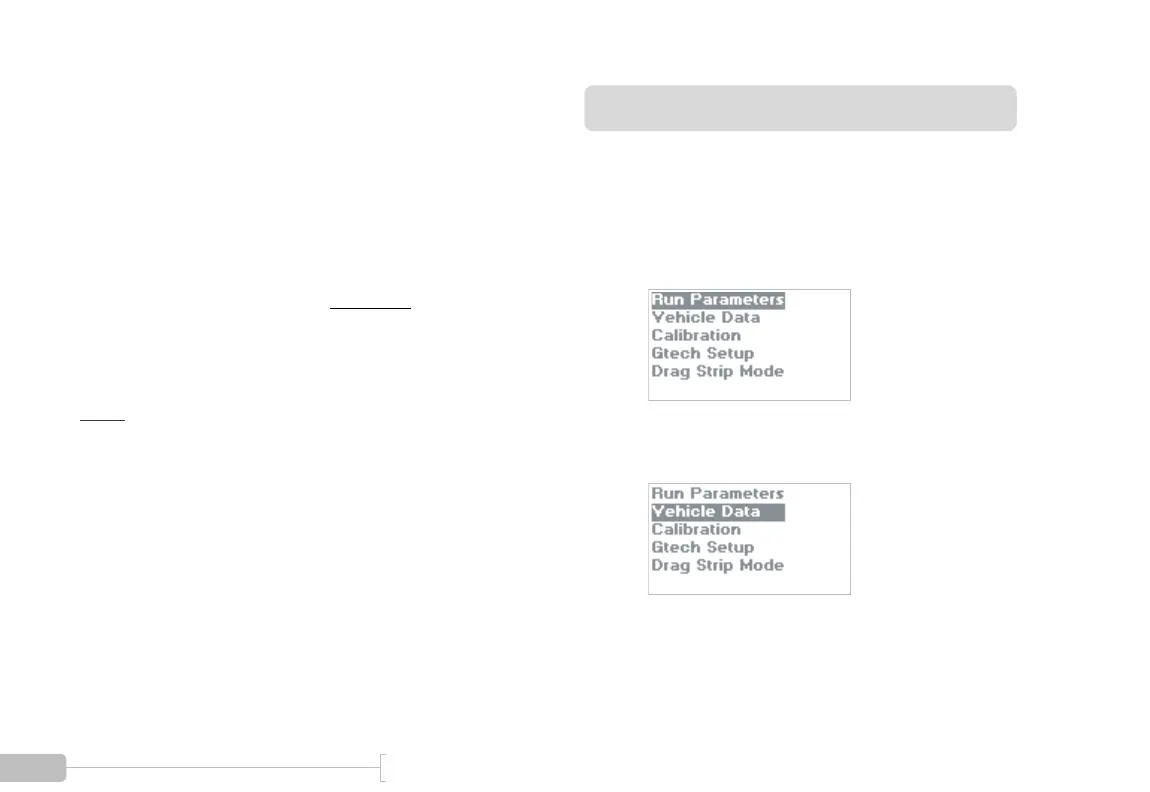
Start in Configuration Mode.
2
Select “Vehicle Data”.



 To Next Page