144 G-TECH / Pro Competition User Guide, Release 3.1
Erasing Accel. Calibration
Use the following procedure to erase the G-tech’s acceler-
ometer calibration data.
Assuming you have performed two calibrations at
two different temperatures, and the G-tech is held
very still, the Mag reading should always be very
close to +1.000. The closer the G-tech is to
+1.000, the more accurate your measurements will
be.
If the reading is greater than +1.005 or less than
+0.995 you should erase the current calibration
(p. 144) and then re-calibrate the accelerometers
(p. 28).
The X, Y, and Z fields are provided for engineering
support, and generally you will not need to look at
them.
The current temperature inside the G-tech is also
displayed, as this affects the accelerometers. It is
provided primarily for engineering support.
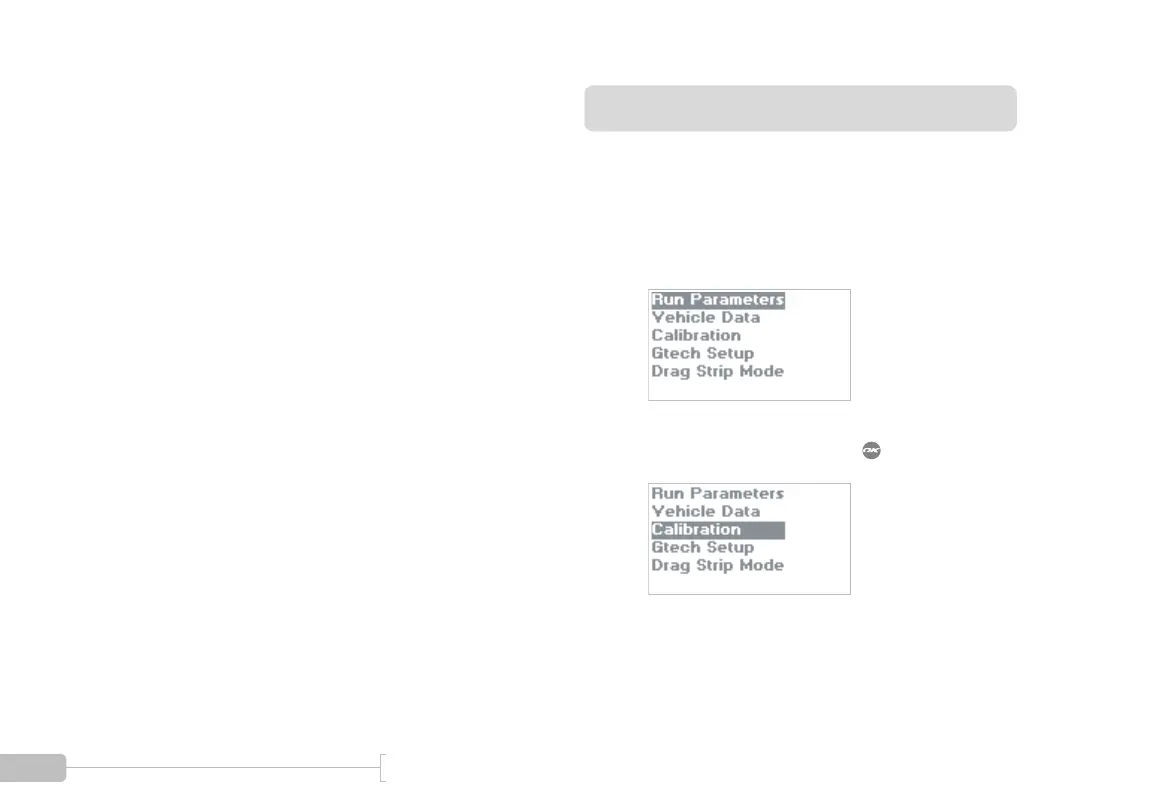
1
Start in Configuration Mode.
2
Select “Calibration” and press .
Note: DO NOT CALIBRATE ACCELEROMETERS or ERASE ACCELEROMETER CALIBERATION
on G-tech units which were shipped after August 2003. They have already been calibrated in the
factory. Older G-techs will automatically request calibration. If you are unsure contact tech support.



 To Next Page