Quick Setup
35 G-TECH / Pro Competition User Guide, Release 3.1 35
For more information on calibrating the accelerometers,
please refer to “Accelerometer Tips” on page 142.
Calibration & Temperature
The G-tech’s accelerometers are sensitive to changes in tem-
perature. Ideally, you will calibrate the G-tech at two different
temperatures that are far apart. This helps the G-tech main-
tain accuracy across a wide range of temperatures.
To maintain accuracy, the G-tech monitors temperature with
a built-in thermal sensor. When the G-tech detects that its
current temperature is far from the calibration temperature, it
displays a message as shown in Figure 8.
Figure 8: G-tech accelerometer calibration request
If this text automatically appears on your display, you should
put the G-tech into Configuration Mode and then perform
an accelerometer calibration (“Calibrating Accelerometers”
on page 28).
18
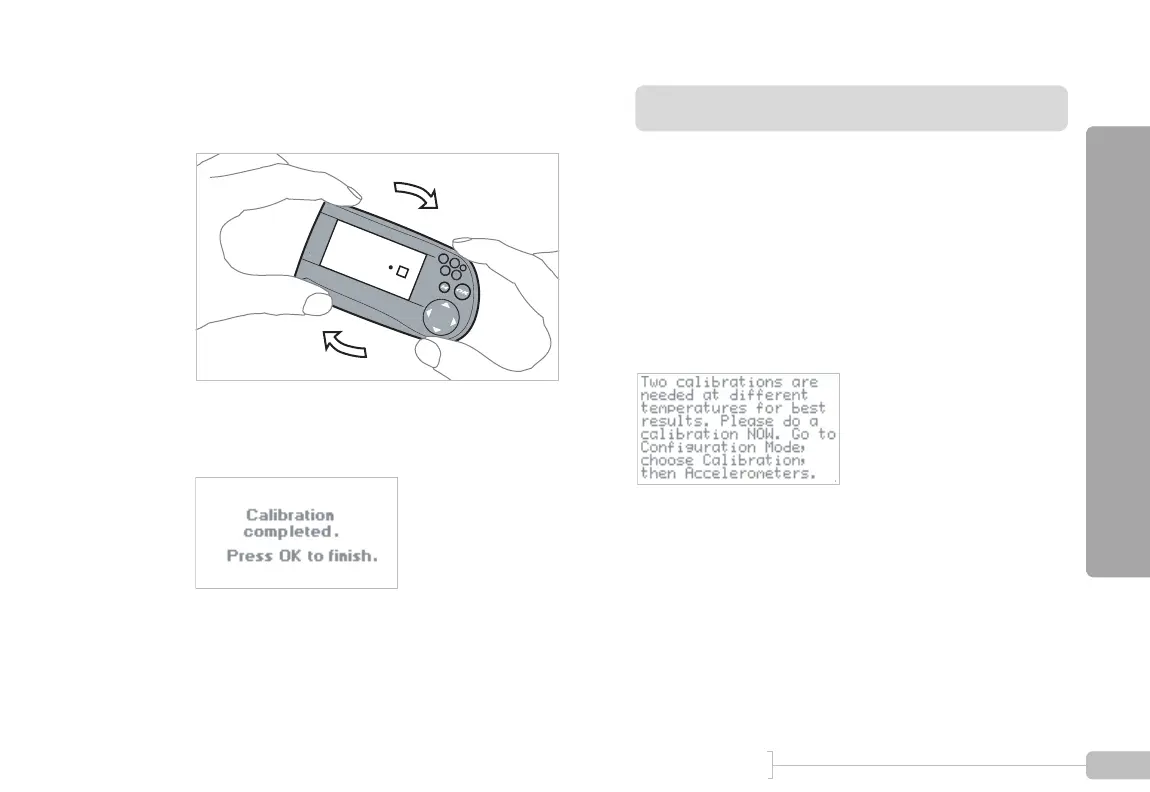
Tilt the G-tech clockwise as shown so that the ball
rests in the square.
19
This screen indicates that the calibration procedure
is complete.
Note: DO NOT CALIBRATE ACCELEROMETERS or ERASE ACCELEROMETER CALIBERATION
on G-tech units which were shipped after August 2003. They have already been calibrated in the
factory. Older G-techs will automatically request calibration. If you are unsure contact tech support.



 To Next Page