52 G-TECH / Pro Competition User Guide, Release 3.1
Measuring Your Runs
To perform a timed measurement of your vehicle’s straight-
line acceleration, the G-tech has a special display called the
Run Window.
You will use the Run Window to make measurements such
as:
• 1/4 mile E.T. and speed
• 0-60 MPH measurements
• braking distance measurements
• horsepower and torque measurements
To get to the Run Window
:
• Make sure that the G-tech is in Drag Strip Mode, dis-
playing the tachometer on the G-Window
• Press
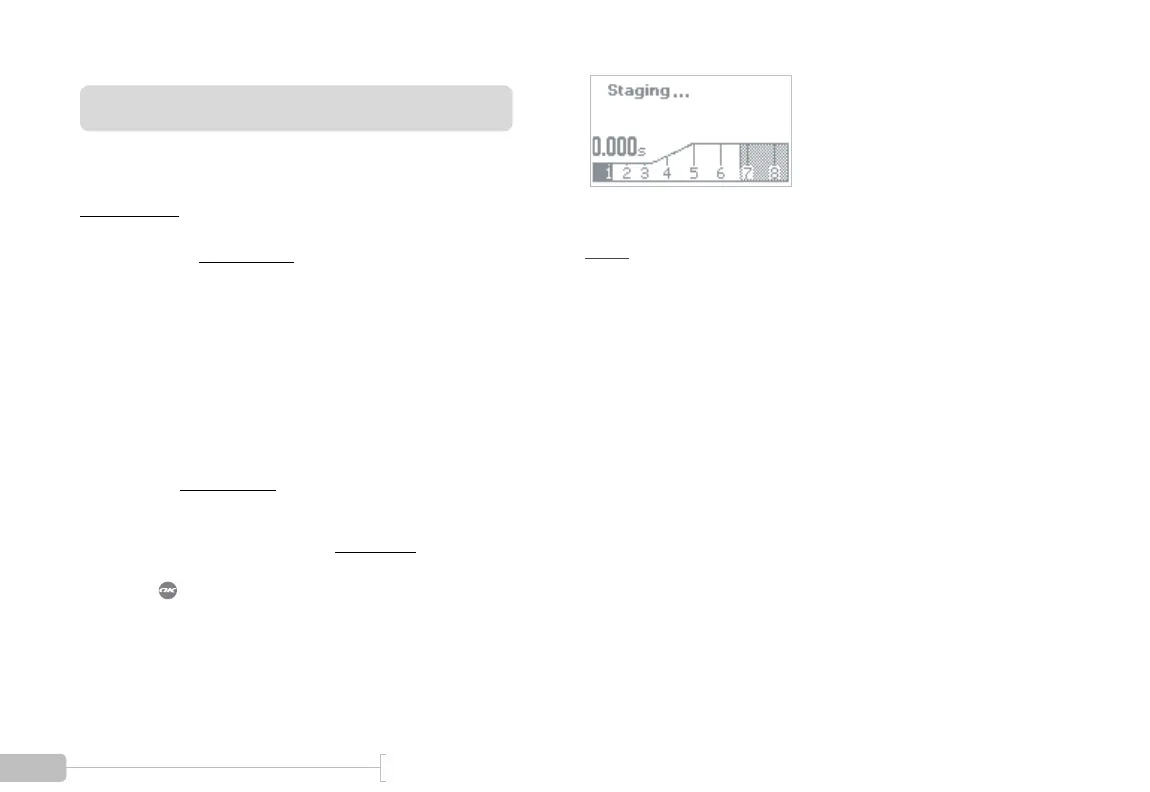
You will initially see the Staging Screen as shown in Figure 14.
.
Figure 14: Staging Screen
Note:
If your G-tech does not look like Figure 14, that
means it is configured to use the reaction time light tree. Please
refer to “Reaction Time / Start Mode” on page 128 for informa-
tion on disabling the reaction time light tree.
At this point, the G-tech is making sure that the vehicle is
completely stopped. This process takes about 1 second, and
is called “staging” in this manual.
After about 1 second, the Upper Left LED will begin blinking,
and the screen will appear as in Figure 15. At this point, the
G-tech is ready for you to perform an acceleration run.



 To Next Page