64 G-TECH / Pro Competition User Guide, Release 3.1
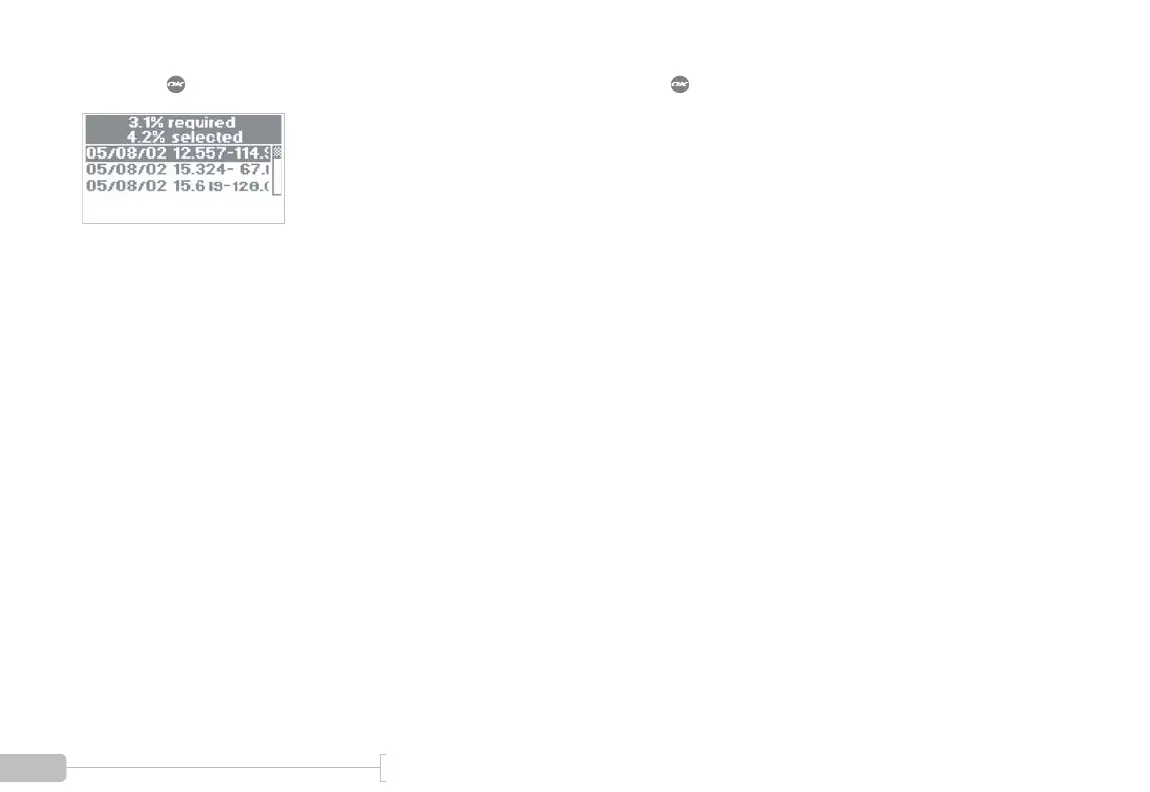
If you press , a screen resembling Figure 29 will appear.
Figure 29: Deleting runs to free memory
The top line (“required”) indicates how much room you
need to free up before saving the run. In this example, the G-
tech is indicating that you need to free up 3.1% more mem-
ory.
The line below it (“selected”) indicates how much room will
be freed if you delete the run that is currently selected. In this
example, the G-tech is indicating that if you delete the cur-
rent run (which is named “05/08/02 12.557-114.9”), it will
free up 4.2% of the memory.
Since 4.2% is larger than the required 3.1%, deleting this run
will allow you to save the new run.
Use the arrow keys to move to between different runs.
If you press , the selected run will be deleted, and the
numbers will be updated accordingly.
Once you have deleted enough runs to make room for the
new run, the new run will automatically be saved.



 To Next Page