Advanced Features
105 G-TECH / Pro Competition User Guide, Release 3.1 105
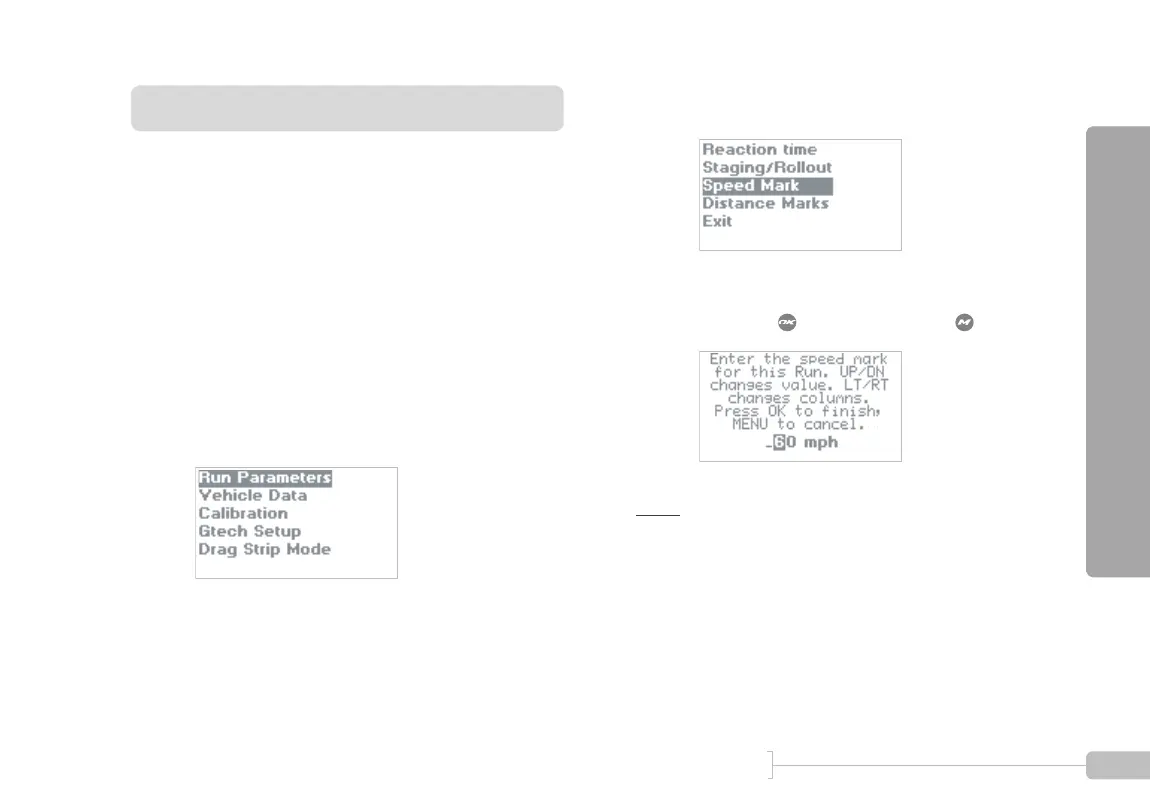
Setting the Speed Mark
Have you ever wondered at what point you reach a certain
speed during an acceleration run?
With the G-tech’s Speed Mark feature, now you will know.
Simply set the Speed Mark value to whatever speed you
want, and then during an acceleration run, the lower left LED
will illuminate for 1 second when your vehicle reaches that
speed.
Note:
The speed mark can be set to any value in the range
20-150 MPH. It cannot be turned off completely. However, set-
ting it to 150 MPH will effectively turn it off in a vehicle that
doesn’t reach 150 MPH.
1
Start in Configuration Mode and Select “Run
Parameters”.
2
Select “Speed Mark”.
3
Enter your desired speed mark by using the arrow
keys. Press when done, or press to abort.



 To Next Page