46 G-TECH / Pro Competition User Guide, Release 3.1
Drag Strip Mode Basics
Put the G-tech into Drag Strip Mode (Figure 7 on page 15)
to measure the performance of your vehicle.
In Drag Strip Mode, you can use the G-tech:
• to monitor your acceleration and RPMs on the G-Win-
dow during everyday driving
• to measure straight-line performance (1/4 mile, 0-60
MPH, etc.) on the Run Window
When you first come up in Drag Strip Mode, the G-tech
automatically begins measuring acceleration and RPMs, and
displays the G-Window
(Figure 10):
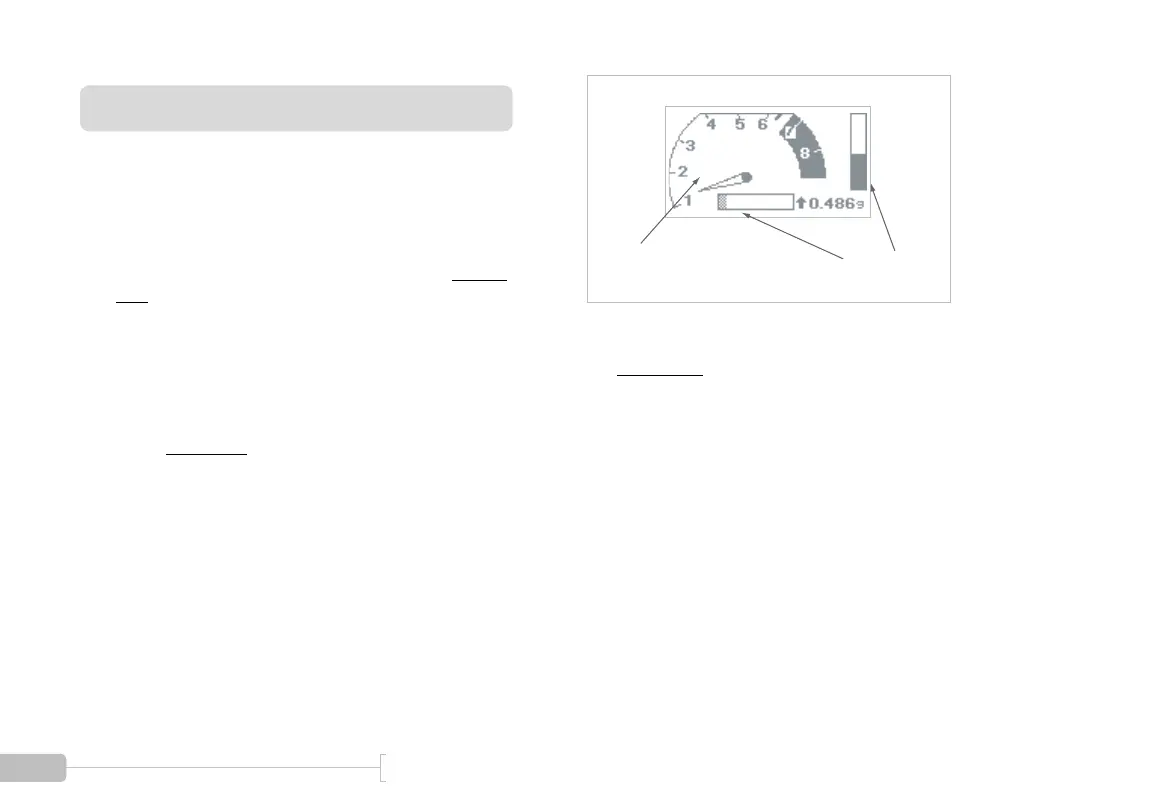
Figure 10: Drag Strip Mode — G-Window screen
The G-Window
has two main indicators:
• Tachometer – displays vehicle RPMs
• Acceleration Bars – indicate forward and lateral (cor-
nering) G force in real time
Acceleration
Bars
Tachometer



 To Next Page