Advanced Features
117 G-TECH / Pro Competition User Guide, Release 3.1 117
Note:
After you have performed this step, you will need to
perform the steps in the Quick Setup section again (page 66)
before using your G-tech!
2
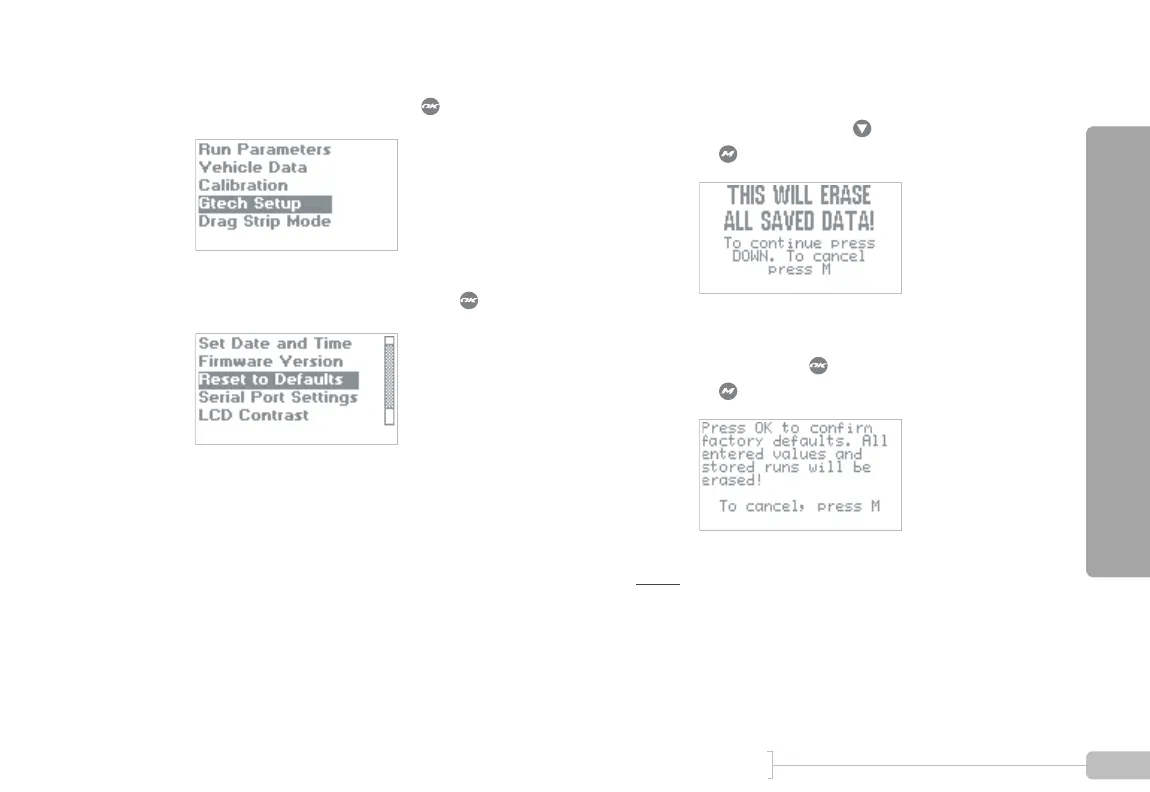
Select “Gtech Setup” and press .
3
Select “Reset To Defaults” and press .
4
Because this is such a drastic step, a screen such as
this will appear. Press to continue the process,
or to cancel.
5
One final level of confirmation is needed before
the reset. Press to completely reset the G-tech,
or to cancel.



 To Next Page