Quick Setup
19 G-TECH / Pro Competition User Guide, Release 3.1 19
2
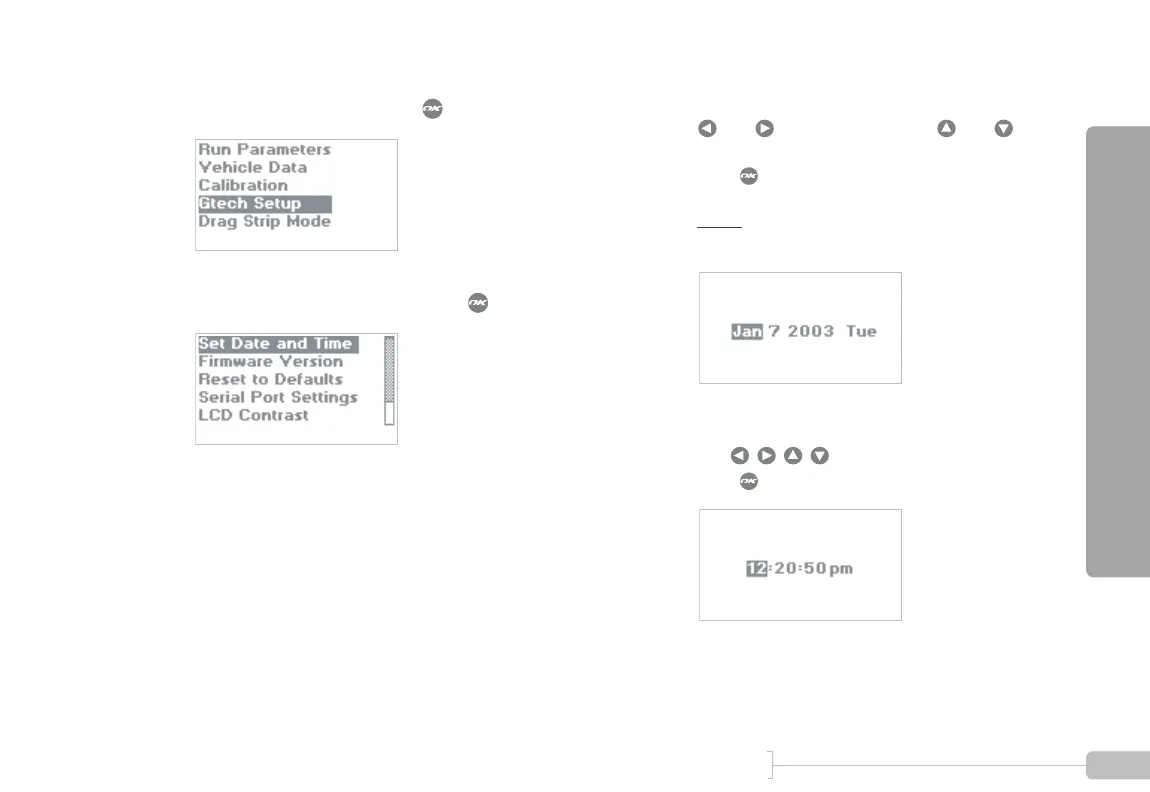
Select “Gtech Setup” and press .
3
Select “Set Date and Time” and press .
4
Set the date.
and move between fields, and
change values.
Press when done.
Note:
Day of week (e.g. Tuesday) is calculated
automatically and cannot be set.
5
Set the time.
Use to move and adjust fields.
Press when done.



 To Next Page