Quick Setup
33 G-TECH / Pro Competition User Guide, Release 3.1 33
12
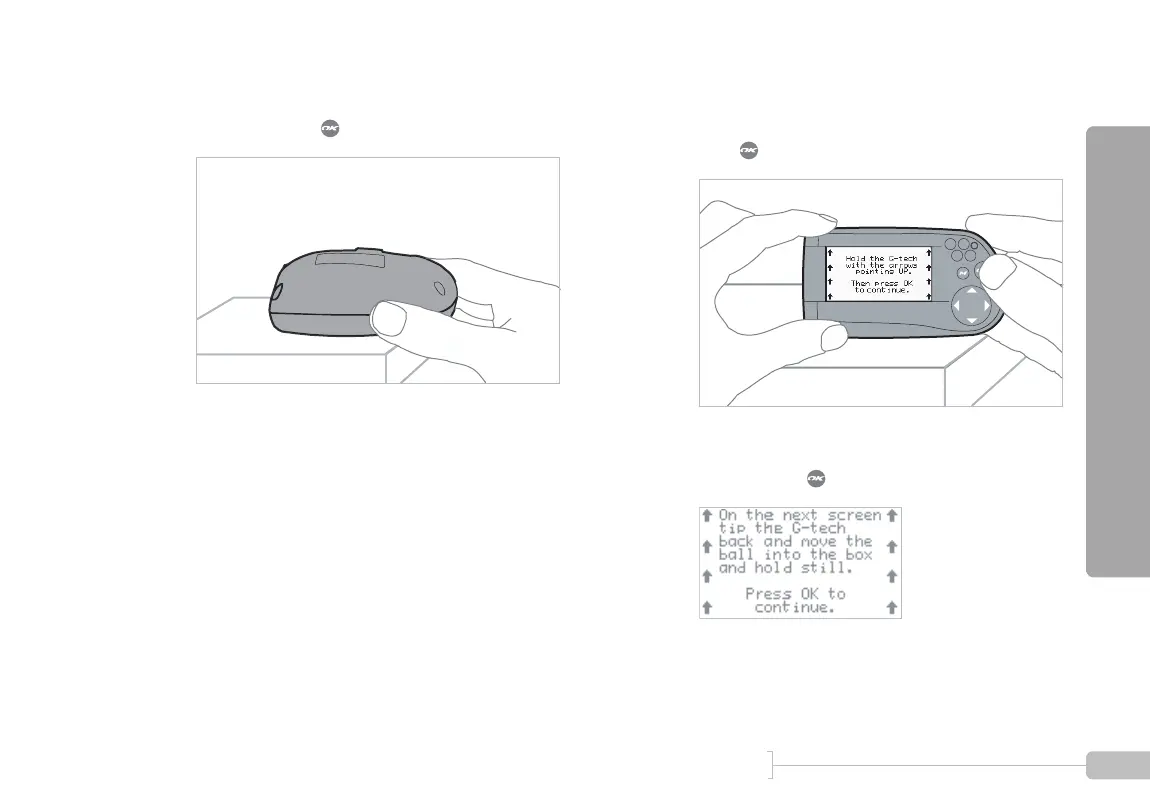
Orient the G-tech with the display facing down, as
shown, and press .
13
Now it is time for some final checks.
Orient the G-tech as shown, read the screen, and
press .
14
The following instruction screen will appear. Read it
and then press .
Note: DO NOT CALIBRATE ACCELEROMETERS or ERASE ACCELEROMETER CALIBERATION
on G-tech units which were shipped after August 2003. They have already been calibrated in the
factory. Older G-techs will automatically request calibration. If you are unsure contact tech support.



 To Next Page