142 143
IIDTool
GAP Diagnostic 2019-07-15 All Rights Reserved
User Manual : Version 33, Firmware V3.0
Buzzer usage example
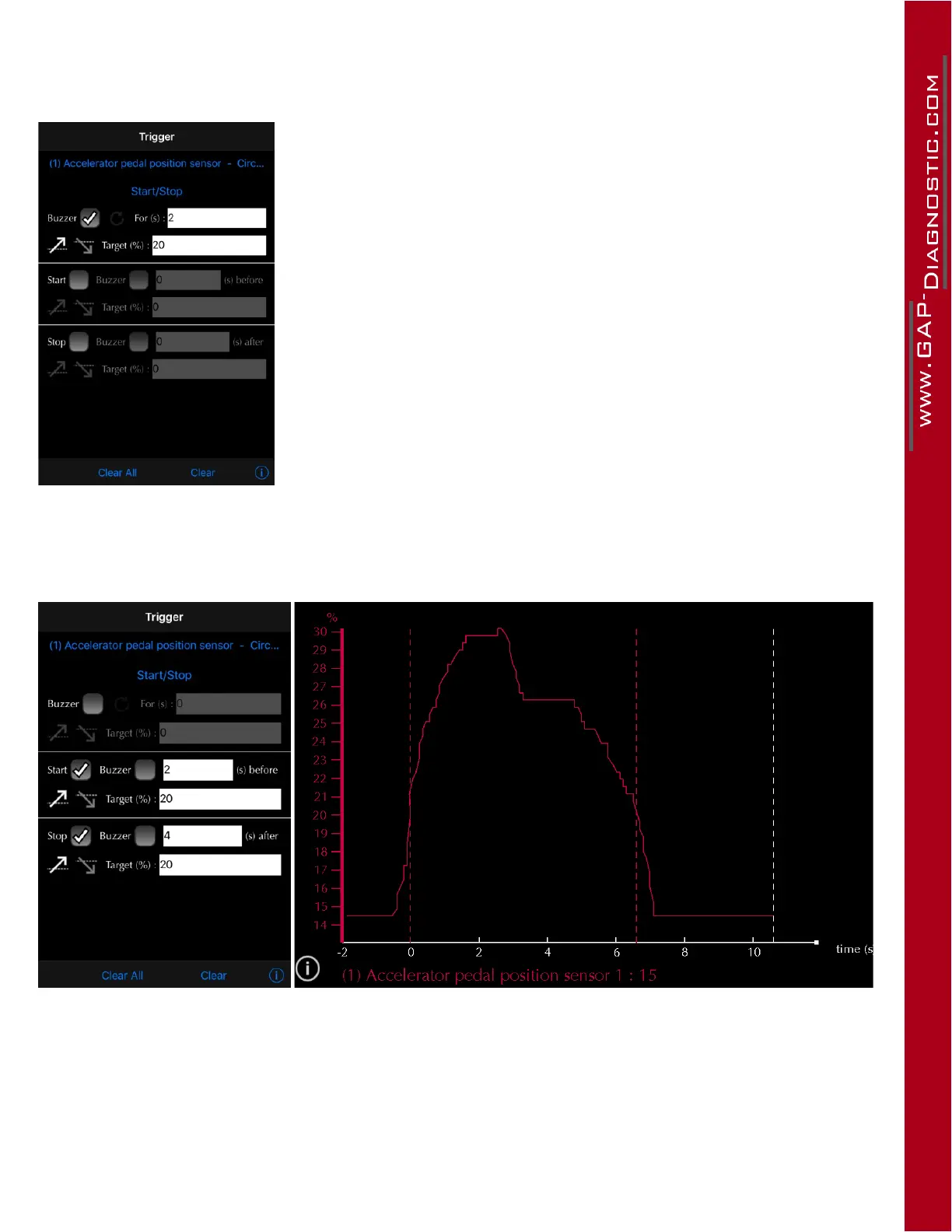
The buzzer will be heard when the live value increases and passes 20 %.
The loop mode is activated in this case therefore the sound will be heard
at a 2 seconds interval for as long as the condition is met.
Note: The buzzer and vibration settings are in the preference menu (cog
wheel). The App automatically detects if a device is tted with a vibrating
motor. The buzzer will not be heard if the device volume is low or muted.
Figure 85. App : LV : Buzzer usage example
Start Stop example
Figure 86. App : LV : Start stop example
• The live value increases and passes the Start target of 20 %.
• Recording begins and the previous data is kept (2 seconds).
• The Stop condition is met at around 6.5 seconds, hence the trigger indicator (red dotted lines).
• Recording continues for 4 seconds.



 To Next Page