166
IIDTool
GAP Diagnostic 2019-07-15 All Rights Reserved
User Manual : Version 33, Firmware V3.0
IIDTool BT G2 and regular
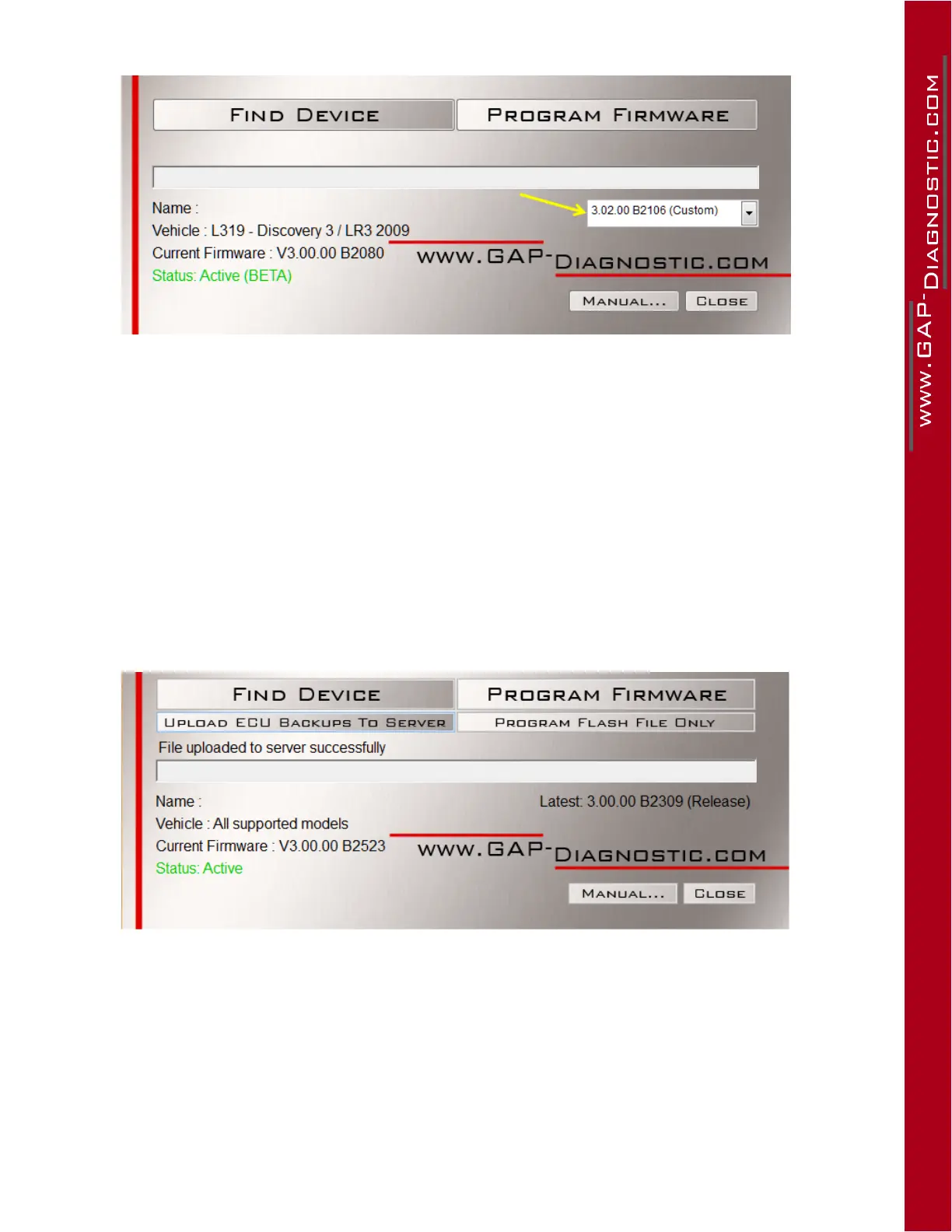
Figure 103. BTandregular,updatingtheIIDToolwithaBASle,
3. Select “Custom”
4. Click on “Program Firmware” and wait until completion.
5. As instructed by the updater software upon completion, proceed with automated le
loading/update on your mobile devices. See section 2.6.
6. Onrstconnectiontothevehiclefollowingtheupdateofthetool,thecontactmustbeturned
on (ON) without starting the engine and the last connection of the tool. The IIDTool conducts a
scan to determine which ECUs are present on the communication bus.
IIDTool Pro and BT G3 or BT G2 and regular (BT G2 and regular currentlyttedwithacustom
rmwareandasecond(orthird...)leasbeenmadeavailable):
Figure 104. Pro, BT,updatingtheIIDToolwithanadditionalBASle,
3. Click on “Program Flash File Only” and wait until the update is completed.
Step 4: In the vehicle
Simply navigate to IIDTool Menu-
>
ECU Flash and select the correct le. Make sure to follow the
generalre-ashingprecautions.BT and regular IIDTool: RevertbacktheIIDToolrmwaretothelatest
releaseversiononcere-ashingiscompleted.



 To Next Page