90
IIDTool
GAP Diagnostic 2019-07-15 All Rights Reserved
User Manual : Version 33, Firmware V3.0
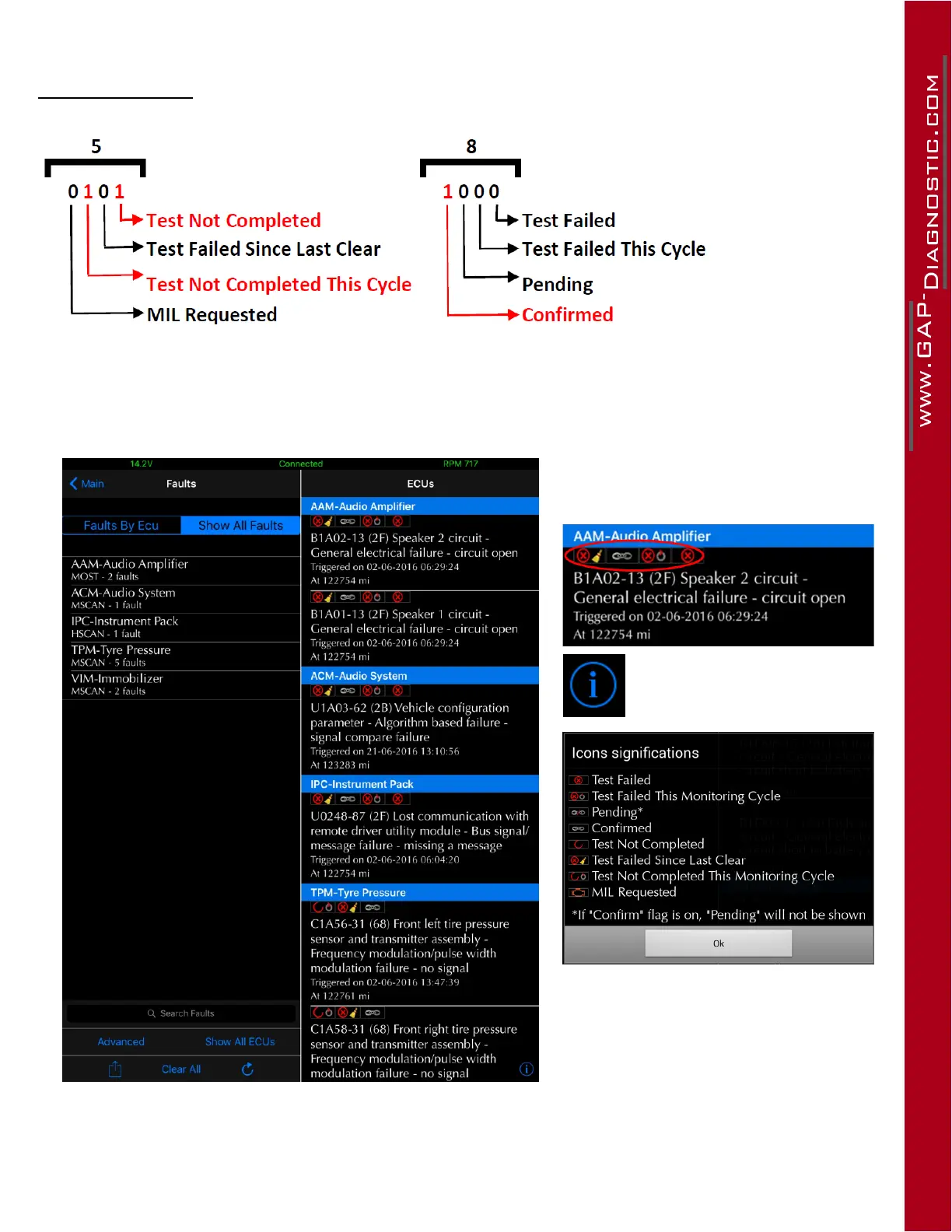
Decoding example
Figure 44. Decoding example, status bits
Status bit at positions 3,4 and 6 are set or = 1
App
Figure 45. App : Status bits
Icons representing the status bits
are located above the description of
each faults.
Thedenitionscanbefound
by clicking on the i button
(bottom right).
Note : In some cases, faults will have
the conrmed and pending bits set
to 1. As the conrmed bit prevails,
only this icon will be displayed.



 To Next Page