3. In the “New Measure / Calc Item” window, select the item desired and then click [OK].
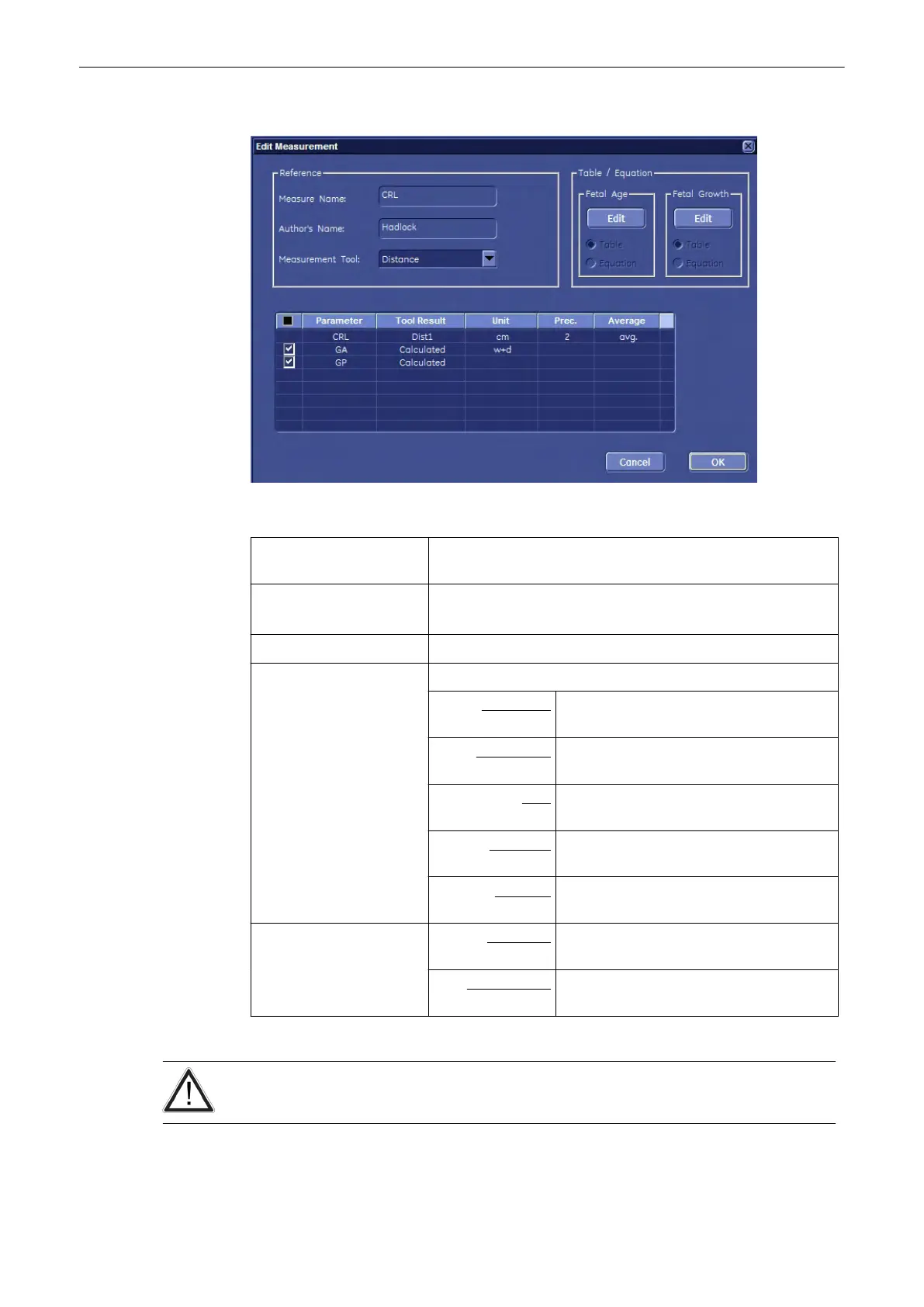
4. In the displayed screen, select resp. enter:
Measure Name: Either select a parameter from the drop down menu or enter it
directly.
Author’s Name: Enter author’s name.
: Author’s Name must be unique if measure Name exists!
Measurement Tool: Select the measurement parameter from the drop down menu
“Selection Field”: Adjust the display in the worksheet and the measure result field.
Parameter: set check mark(s) individual or all (check
mark in “black box”)
Tool Result: shows parameters to measure and items
that will be calculated
Unit: click into the line desired to change the
dimension
Precision: click into the line desired to change the
precision (# after comma)
Average: click into the line desired to change the
average display
Table / Equation: Fetal Age: select either Table or Equation and then
click on [New]
Fetal Growth: select either Table or Equation and then
click on [New]
5. To confirm all settings, click on the [OK] button.
Fetal Age tables or equations are NOT the same as Fetal Growth tables or equations!
Measurements and Patient Worksheets (Reports)
Voluson® S6/S8 Basic User Manual
5433669-100 Revision 4 11-113



 To Next Page