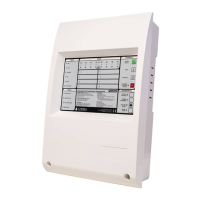
SETTING PANEL ADDRESSES AND TYPES
Each Repeater and Sub-panel needs a unique address.
Each Repeater and Sub-panel also needs the detector type set.
This has a fixed address of 01.
The default address for the Integrated Sub-panel on a Repeater is 02.
To set up the Integrated Sub-panel on a Repeater firmly depress the TEST (QUEUE REVIEW) and DISABLED (QUEUE
REVIEW) buttons on the Repeater while powering up.
This will power the Repeater up in REPEATER INSTALL MODE. If it does not, try again, the buttons must be firmly held
down during the power up process.
Once in REPEATER INSTALL MODE the following options are available:
Press SOUND ALARMS to clear the NVRAM
Press FIRE (QUEUE REVIEW) to increment the panel number
Press FAULT (QUEUE REVIEW) to decrement the panel number
Press TEST (QUEUE REVIEW) to step through the available detector types
Press SYSTEM RESET to save and exit REPEATER INSTALL MODE
If the system has not been commissioned or installed then it is recommended to clear the NVRAM. Note that this will also
set the panel number back to 02.
If the system has been installed then clearing the Repeater NVRAM will clear all the installation information and the
SYSTEM must be put into INSTALLATION MODE to re-learn the fitted devices. A Main Panel Master Reset must also be
performed so that all system settings are re-sent to all Repeaters and Sub-panels.
If the panel number is changed the SYSTEM must also be put into INSTALLATION MODE to learn the new panel number.
Main Panel Integrated Sub-panel
Repeater Integrated Sub-panel
55
Manufacturers of Fire Detection Equipment
INSTALLATION & COMMISSIONING MANUAL REVISION 4.0 05/2013
JUNO NET - NETWORKABLE ADRESSABLE PANEL
globalfire.pt


 To Next Page