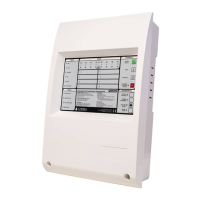
GETTING THE MAIN PANEL RUNNING
If you have the optional printer fitted make sure that the printer paper is not being held firm by an elastic band or piece of
string.
Note that if external sub-panels are not powered up and if the battery has not been connected the Main Panel WILL
report faults when it is powered up. This is entirely normal. When this happens silence the buzzer by pressing ALARM
SILENCE.
Apply AC power to the Main Panel.
The LCD should display the software version and the message ‘INITIALIZING’. This will be followed by the date and time
(and the company name if it has been set). Within a few seconds faults will be reported, these will overwrite the date and
time (and company name).
The SYSTEM ON LED on the fascia of the panel should be flashing green. This indicates that the system is in Installation
Mode. If the LED is solid green the system is in Active Mode and needs to be put into Installation Mode - refer to the
programming section for details on how to do this.
If the SYSTEM ON LED is flashing and information is being displayed on the LCD then the Main Panel is functional.
If the PROC FAULT LED is lit and a continuous tone is audible then remove power and confirm that the SIM CARD is fitted
correctly.
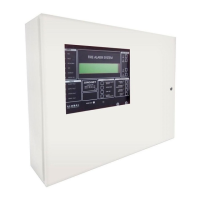
GETTING A REPEATER RUNNING
The supply to the repeater can be obtained directly from the auxiliary power supply output on the main panel.
Alternatively, a repeater with integrated sub-panel will have a separate, self-contained power supply.
Apply power to the repeater.
If the main panel is powered up and the data loop connections between main panel and repeater(s) were properly made,
the information shown on the LCD display as well as the LED indicator status from the main panel will replicate itself on
the repeater.
Press the SYSTEM RESET switch and you should see on the LCD display the message "JUNO NET" as well as the software
version number, followed by the word, "INITIALIZING".
If after a few seconds upon completion of the initialization phase the LCD display shows the message, "NO COMMS TO
MAIN PANEL" and the FAULT Led is lit-up, verify the condition of the main panel. If it is powered up and working properly
then verify the data loop connections.
If the PROC FAULT LED is lit and a continuous tone is audible then remove power and confirm that the SIM CARD is fitted
correctly.
53
Manufacturers of Fire Detection Equipment
INSTALLATION & COMMISSIONING MANUAL REVISION 4.0 05/2013
JUNO NET - NETWORKABLE ADRESSABLE PANEL
globalfire.pt


 To Next Page