6 – 16
(9) Press the PAUSE key to return the plotter to READY status.
When the MODE setting is MANUAL, 2 POINT, or 3 POINT, a plus (+) sign appears after “READY” as
in the following example.
While the above menu is being displayed, press the ORIGIN key to begin adjustment.
Specifying Manual Registration Mark Recognition
The following procedure is used to manually specify registration mark recognition.
NOTE
• When the MARK DIST. ADJ. setting is OFF, 1 mm (any value of 1 mm or less is rounded off) or 5
mm (any value of 5 mm or less is rounded off), the menus for inputting corrective values shown in
Step (4) do not appear after the three points have been read.
• The FIRST POINT setting becomes the origin.
FORCE
SPEED
OFFSET
QUALITY
F1 F3
F4
F2
12 COND1 09U 0
30 READY+ PEN1 4
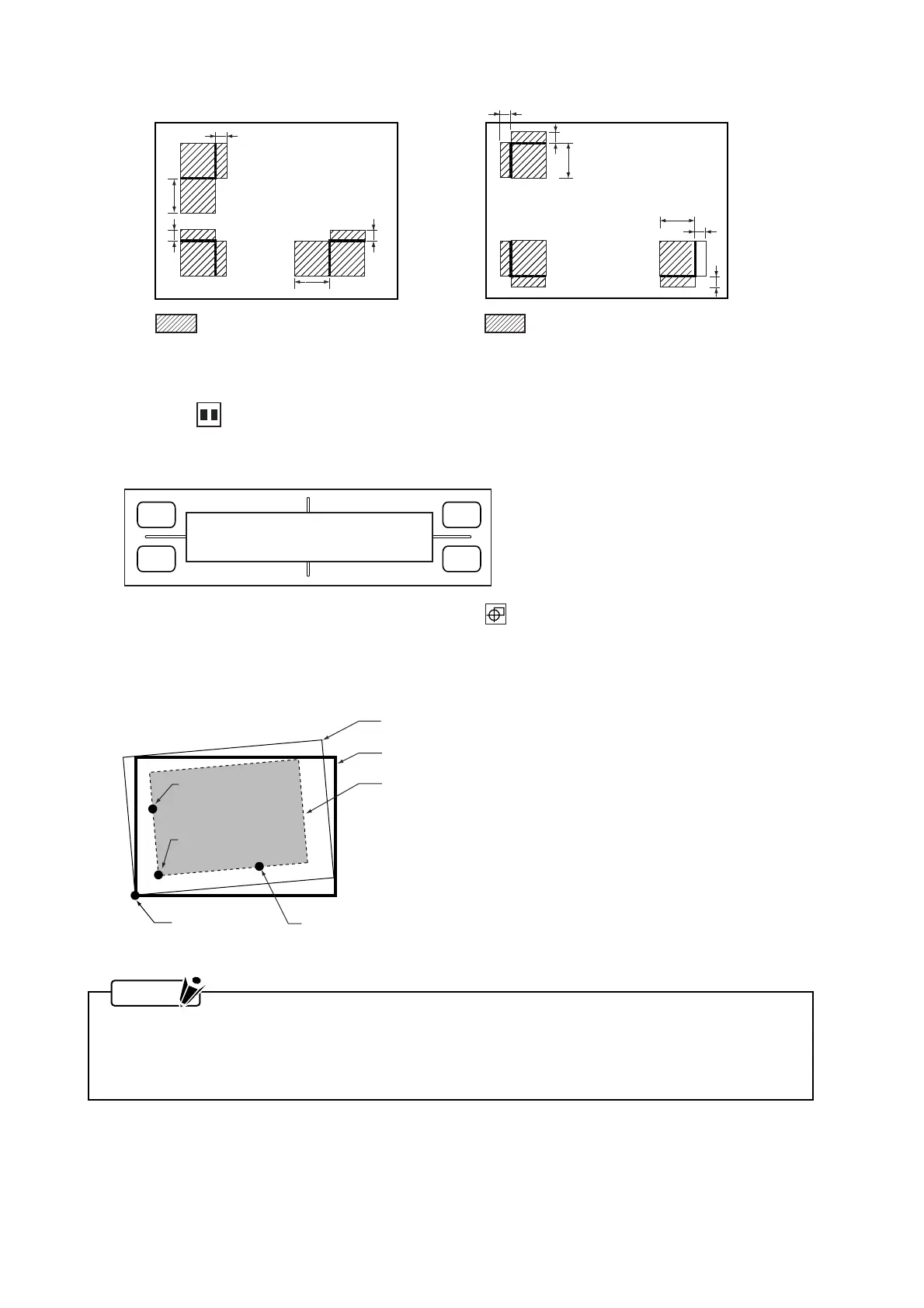
Origin
2nd point
3rd point
1st point
The tilted plotting area
The plotting area with no tilt
A medium placed at an angle
Registration mark pattern 1 Registration mark pattern 2
Range of registration mark recognition
a
b
b
b
a
a
a
a
b
a
a
a = 6 mm
b = Value specified as the MARK SIZE setting
Range of registration mark recognition
a = 6 mm
b = Value specified as the MARK SIZE setting









 To Next Page