6 – 18
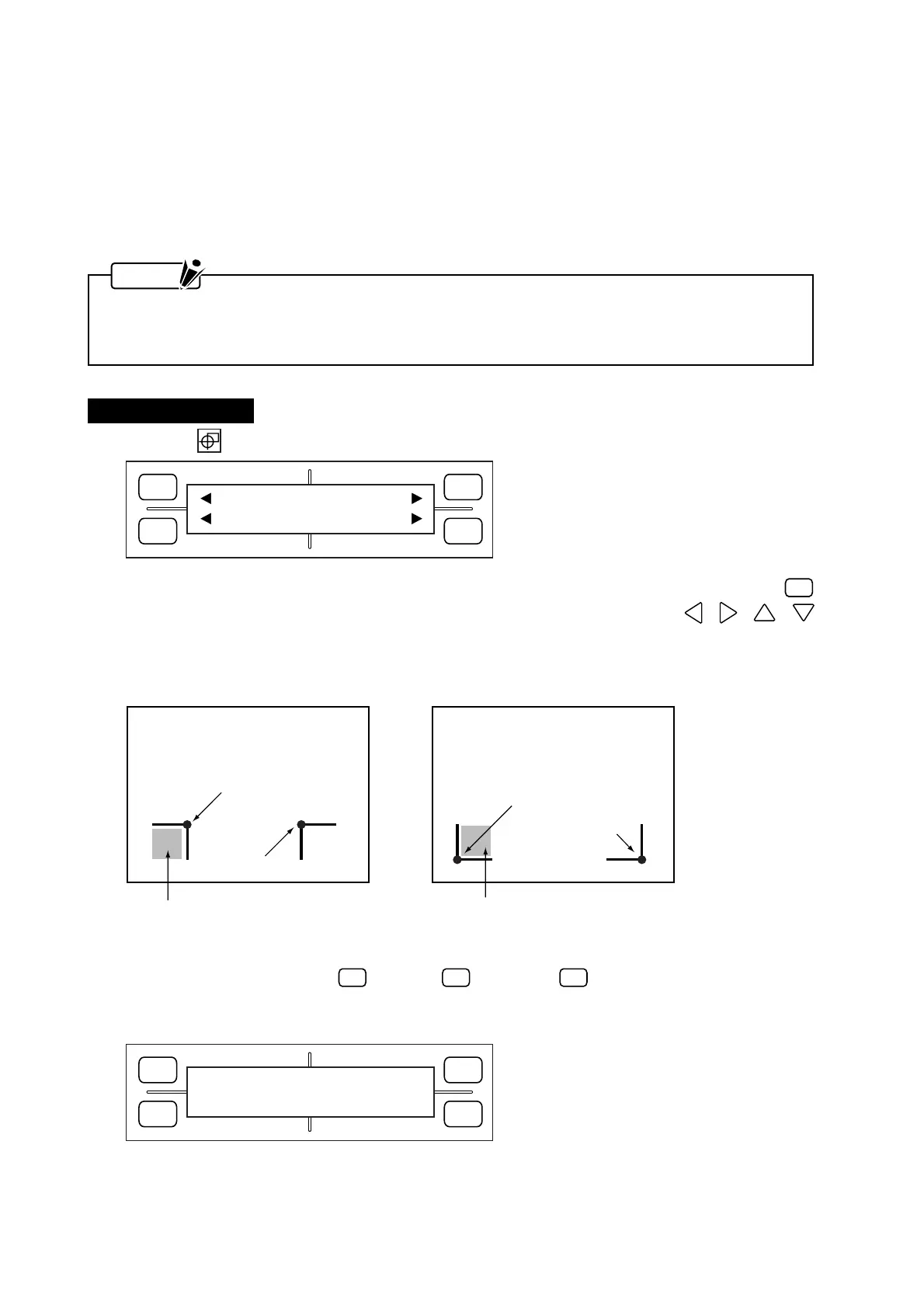
Registration mark pattern 2Registration mark pattern 1
Desired origin (A)
Move the pen’s tip within this area
Desired origin (A)
Move the pen’s tip within this area
Point (B)
Point (B)
FORCE
SPEED
OFFSET
QUALITY
F1 F3
F4
F2
WAIT
.....
(5) After the ENTER key is pressed in Step (4) while the second menu is being displayed, the plotter
returns to READY status.
Specifying Two-Point (2 POINT) Recognition
This following procedure describes how to align the coordinate axes based on two points. In this mode, the
plotter reads two registration marks in the X-axis direction and then corrects the tilt in the X axis and adjusts
the distance precision.
NOTE
When the MARK DIST. ADJ. setting is OFF, 1 mm (any value of 1 mm or less is rounded off) or 5 mm
(any value of 5 mm or less is rounded off), the menu for inputting a corrective value shown in Step (3)
does not appear.
Setting Procedure
(1) Press the ORIGIN key to display the prompt below.
(2) To return the pen carriage to the initial point for starting registration mark detection, press the
F3
(DEFAULT) key. To adjust the position of the registration mark origin, use the , , ,
POSITION keys to move the pen’s tip within the area of the desired origin position (see the figures
below).
To begin adjustment, press the
F1
(No. = 1),
F2
(No. = 2) or
F4
(No. = 3) key to select the corre-
sponding number for the mark space interval registered for the Mark Move Dist. setting. The message
below appears.
FORCE
SPEED
OFFSET
QUALITY
F1 F3
F4
F2
1 DEFAULT
2 SEL. MOVE LENG 3









 To Next Page