WR1000-UM-251–01–9380 3 – 13
3. DISASSEMBLY AND REASSEMBLY
Cleaning and Replacing the Rubber Switch-Keys
If the key response becomes unsatisfactory, first try cleaning the rubber switch-key concerned. If the key
response does not improve even after cleaning, replace that rubber switch-key.
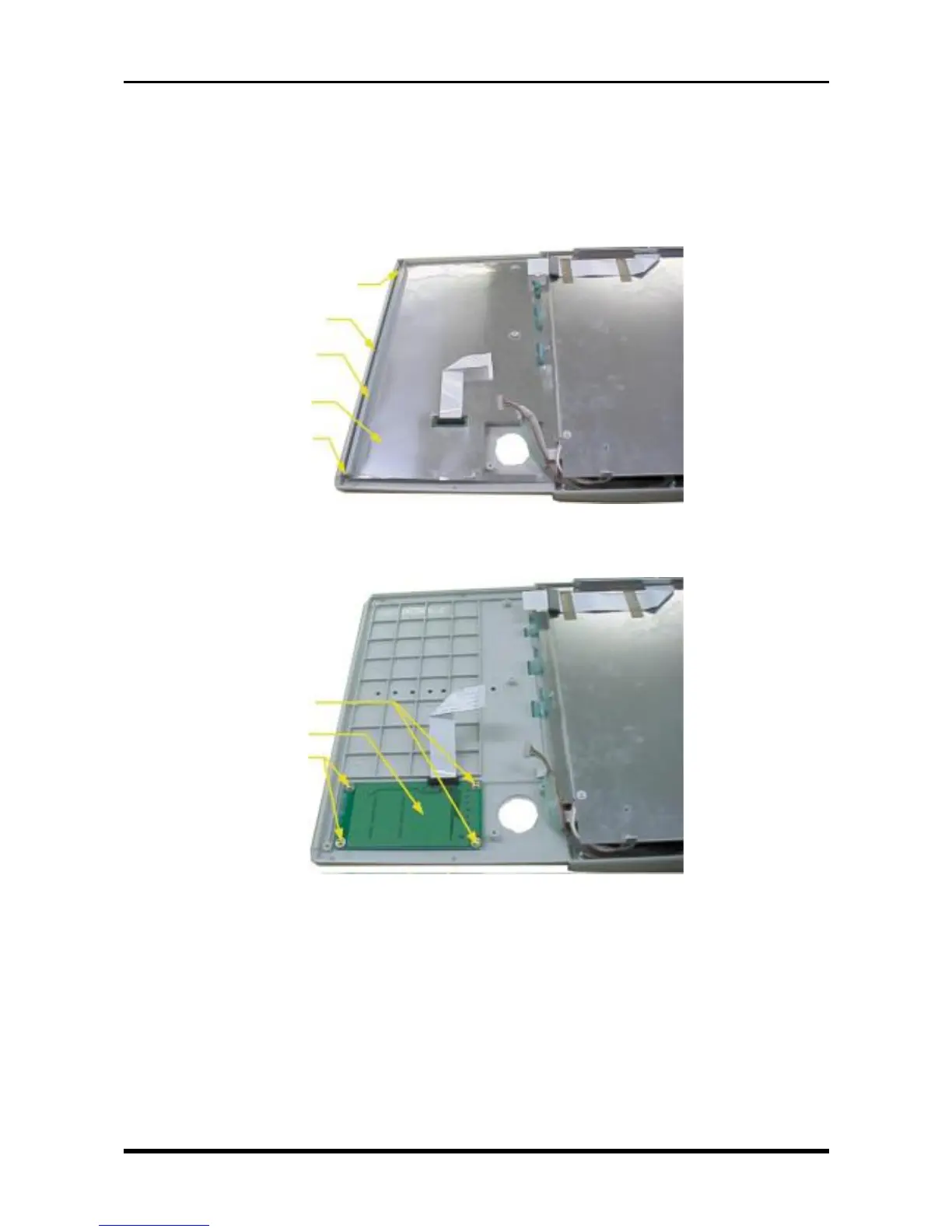
(1) Remove the main control panel key board.
a. Remove the key control board (see Subsection 3.3.5, “Replacing the Key Control Board”).
b. Remove the three screws then remove both the control panel mounting plate and control panel shield.
Fig. 3-3-15
c. Remove the four screws, then remove the main control panel key board.
Fig. 3-3-16
M3L6 tapping screws
Main control panel key board
M3L6 tapping screws
M3L4 binding-head screw
M3L4 binding-head screw
Control panel mounting plate
Control panel shield
M3L4 binding-head screw



 To Next Page