Chapter 8 Hardware Reference
© 2017 Harmonic Inc. All rights reserved. 247 Harmonic MediaGrid Release 4.1
ContentServer 3000
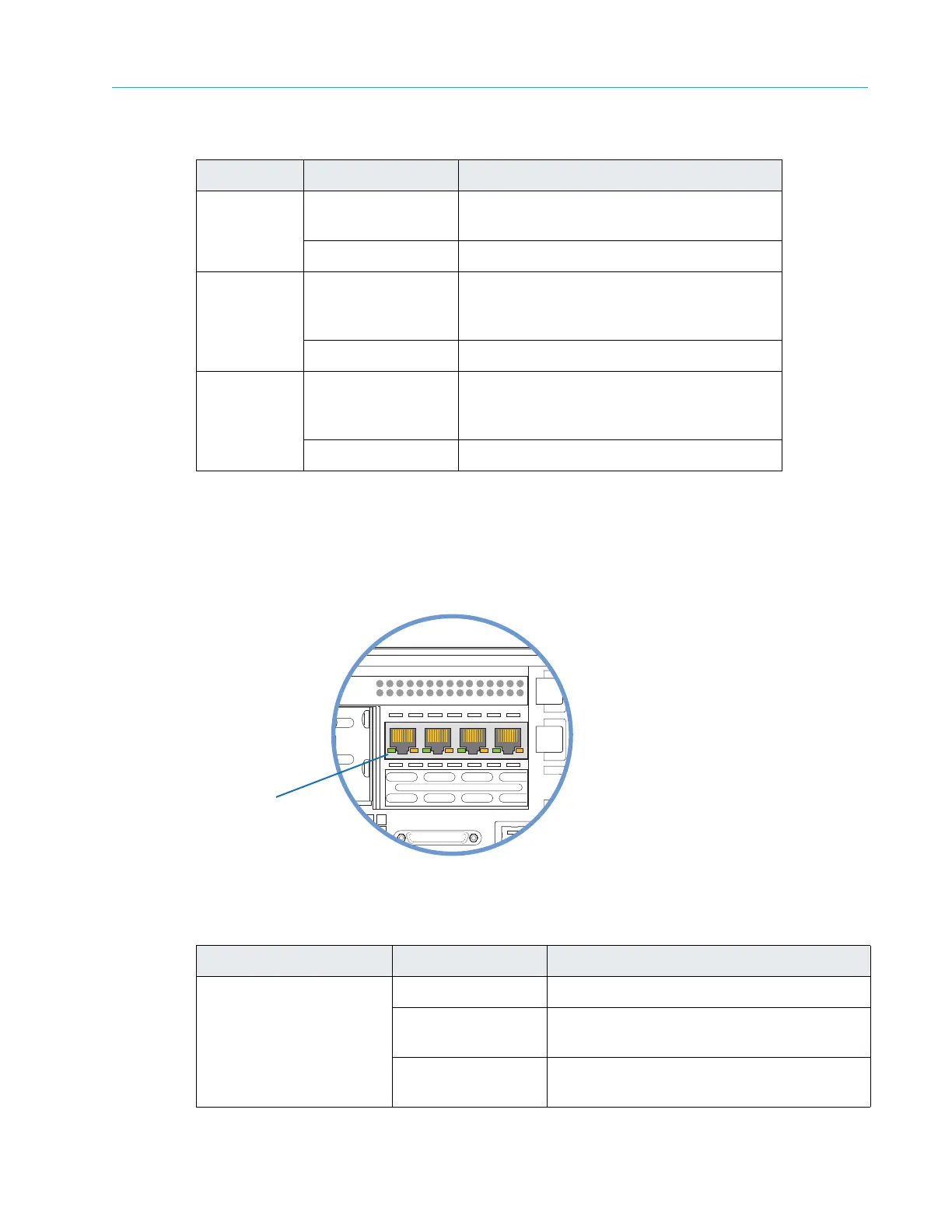
Gigabit Ethernet Add-in Card LEDs
On each Ethernet port, the left LED flashes green to indicate activity while the right LED may be
green, yellow or off to indicate the speed of the connection. Refer to Figure 8–26 and Table 8–25 for
descriptions of the status LEDs.
Figure 8–26: Gigabit Ethernet Add-in Card LEDs
2. Save On Save operation is in progress. LED turns on
during power-down.
Off No activity.
3. PCIe Link On PCIe communications link within the system
is up. Tu
rns on within 60 seconds after
system power-up.
Off PCIe link issue. Needs attention.
4. Charged On NVRAM capacitor is fully charged. LED
turns
on within 60 seconds after system
power-up.
Off NVRAM capacitor issue. Needs attention.
Table 8–25: Gigabit Ethernet Add-in Card status LEDs
LED LED State NIC State
Link (right) Off Power off, network cables unplugged
Green (solid) Power off, network cables plugged in.
Active connection at 100 Mb/s
Yellow (solid) Power on, network cables plugged in.
Active connection at 1 Gb/s
Table 8–24: NVRAM Card Status LEDs
LED LED State Description
4 x 1 GbE
dd-in Card LEDs



 To Next Page