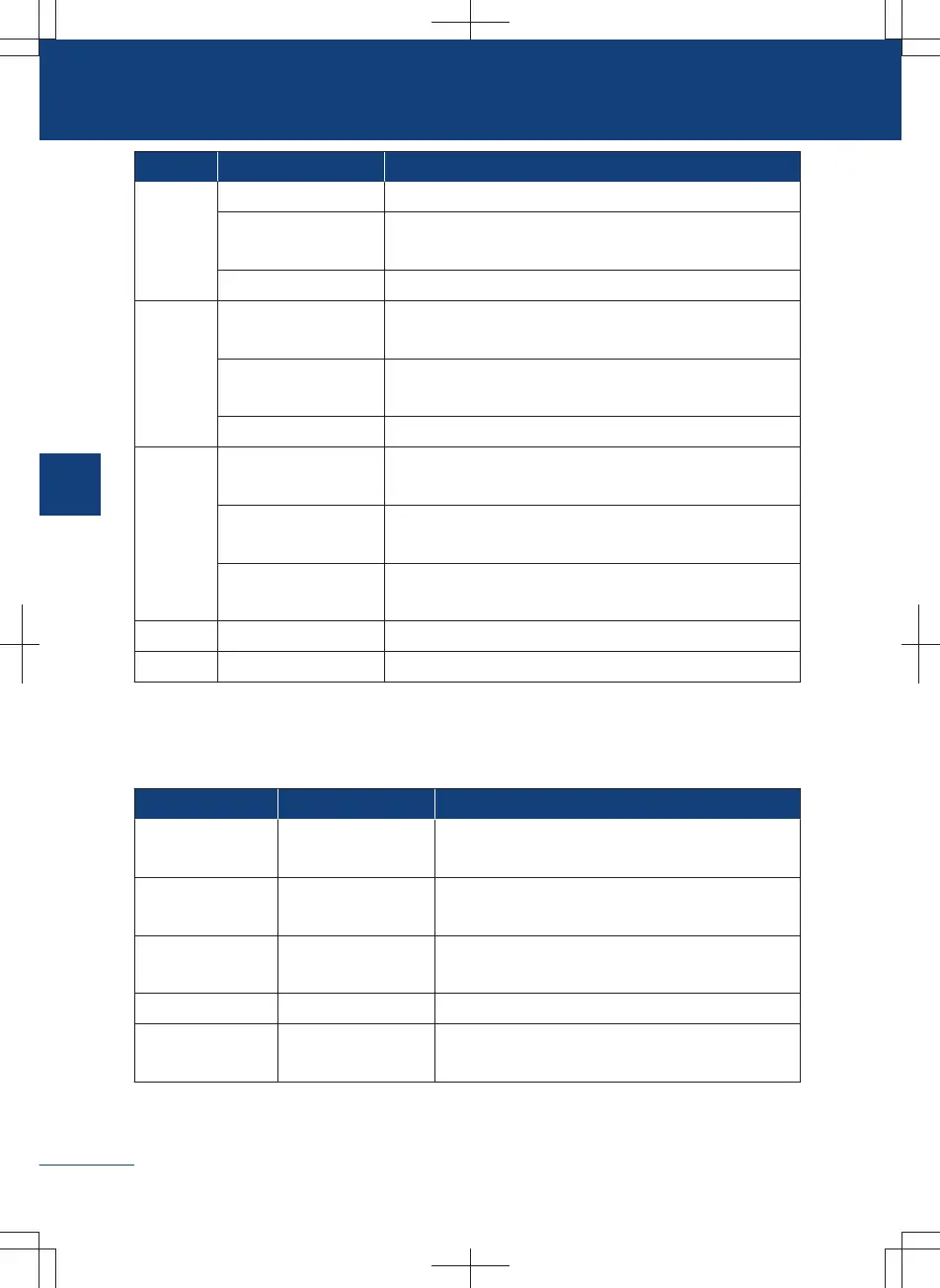
Category Function Command
System
General Select 1, YES, exit , next page, etc.
Adjustment of vol-
ume
Volume up, Volume down, etc.
Connection control Turn on Bluetooth, Turn off Bluetooth, etc.
Driving
Navigation
Take me to XXX, turn on real time traffic report, turn
off real time traffic, etc.
Panoramic sur-
round-view image
Open AVM, close AVM, etc.
Head up display Close HUD, increase HUD brightness, etc.
Comfort
Air conditioning sys-
tem
Switch on AC, set fan speed to level 1, car fan mode
foot, open inner loop, activate cool mode, etc.
Vehicle window and
sunroof
Open sunroof, open the sunshade curtain, open driver
window, close the window on passenger side, etc.
Seat
Turn on seat ventilation, set seat ventilation level 2,
etc.
Weather Weather query How is the weather, how is the weather tomorrow, etc.
… … …
Voice command (not waken up)
Some functions of the vehicle can be controlled by directly speaking commands without
waking up the voice assistant.
Function Effective condition Command
Multimedia —
Previous, next, play music, play radio, stop,
pause, previous radio, and next radio
System —
Turn up the volume, turn down the volume, and
turn on the settings
Air-conditioning —
Turning on air conditioning and turn off air con-
ditioning
Telephone — Making a call
Turn on the navi-
gation
— Open the map
176
3
Audiovisual system



 To Next Page