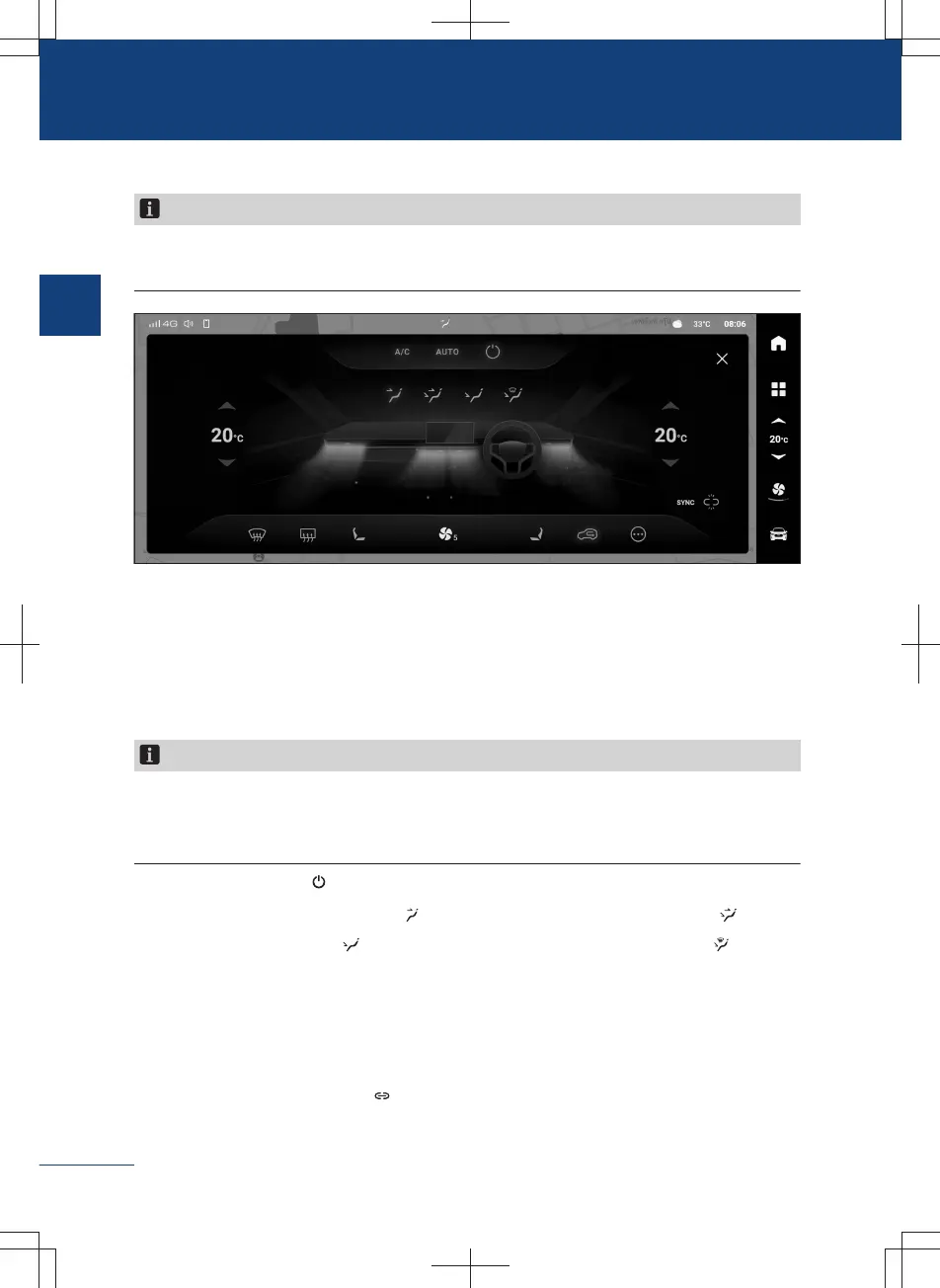
A/C setting interface
Notice
The A/C setting interface may be slightly different due to different vehicle configurations
or multimedia theme styles.
DAD75945CE79
〉
Tap A/C button to activate or deactivate the cooling mode. The corresponding indicator
illuminates, indicating that the cooling mode is activated. In this mode, the inside tem-
perature and humidity may be reduced.
〉
Tap AUTO button to activate the automatic mode. In this mode, the air outlet mode and
the air volume can be automatically adjusted to reach the set temperature.
Notice
If the automatic air-out mode and air flow volume adjusted by the A/C system cannot
meet your demand, you can perform manual adjustment; in this case the system will exit
the AUTO mode, and the indicator will go out.
〉
Touch the OFF button to turn off the A/C system.
〉
Tap the face-blowing mode button , the feet and face-blowing mode button , the
feet-blowing mode button
, or the feet-blowing and defroster mode button to select
the corresponding blowing mode.
〉
Touch or slide the temperature display area on both sides of the air conditioning setting
interface to adjust the temperature.
〉
Tap 【the sync】 button to activate or deactivate the zoning control mode.
When the synchronizing lamp is on, it indicates that the zoning control mode has
been turned on. At this moment, the air-conditioning's temperature on the front
60
1
Operation



 To Next Page