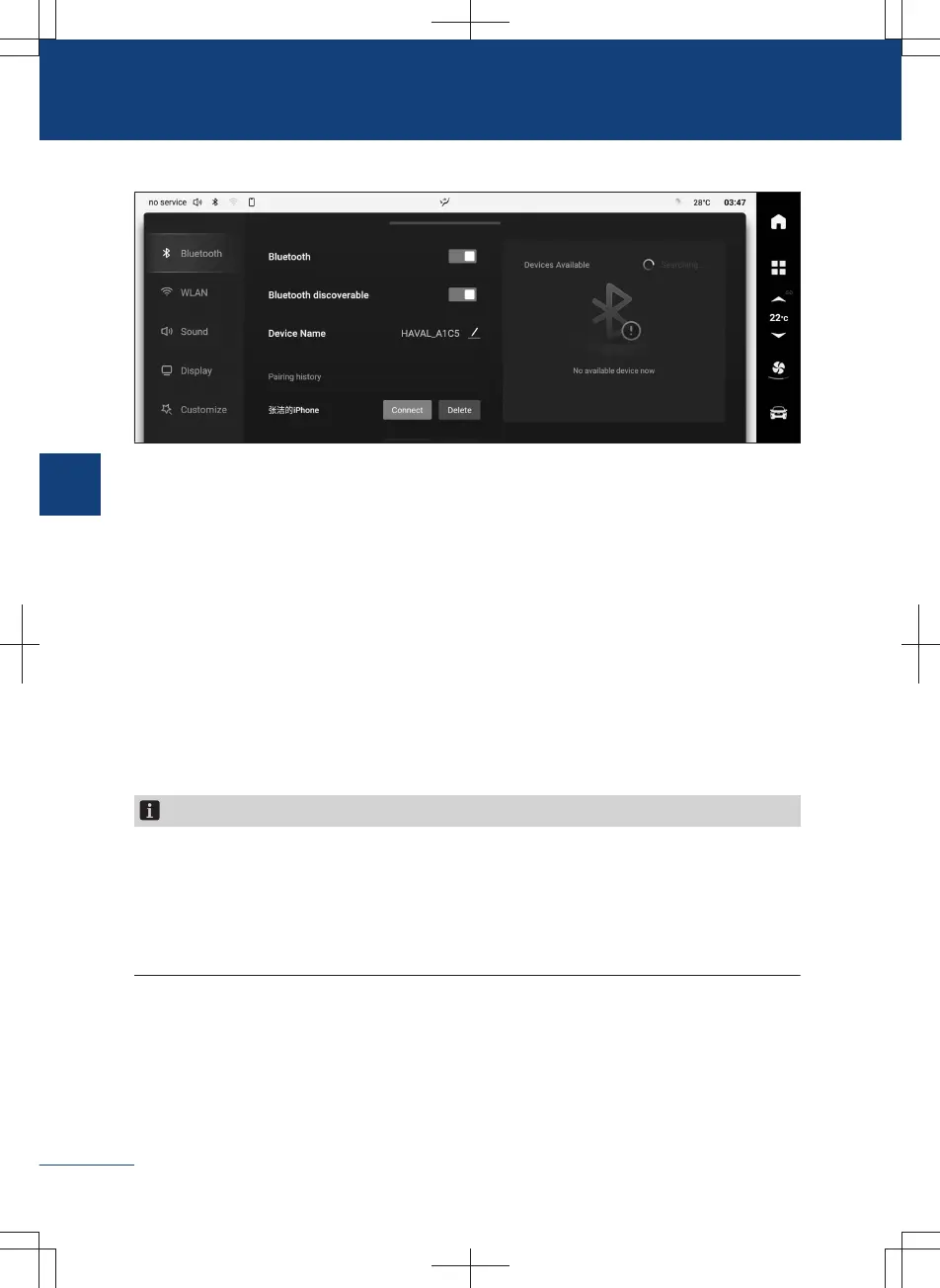
Bluetooth
B786058797CA
〉
【Bluetooth】: The Bluetooth switch of this system can be touched to turn on or off the
Bluetooth.
〉
【Bluetooth visibility】: When this switch is turned on, other devices are allowed to de-
tect the Bluetooth of this system and perform pairing connection.
〉
【Device name】: Display the name of the Bluetooth device, which can be modified to
a custom name.
〉
【Pairing history】: Display other Bluetooth devices currently connected, which can be
disconnected or deleted.
〉
【Available devices】: Display the searched Bluetooth devices. By touching the device
name found in the search, you can initiate a pairing request and make a pairing con-
nection. Touch the 【search】 button to search for Bluetooth devices again.
Notice
1. The communication equipment complies with NBTC standards or technical require-
ments.
2. The communication equipment has an electromagnetic field intensity that complies
with the Safety Standards for the Use of Radio Communication Equipment for Human
Health published by the National Telecommunications Commission.
178
3
Audiovisual system



 To Next Page