Configuring Camera Settings | 125
800-16694 - A - 04/2014
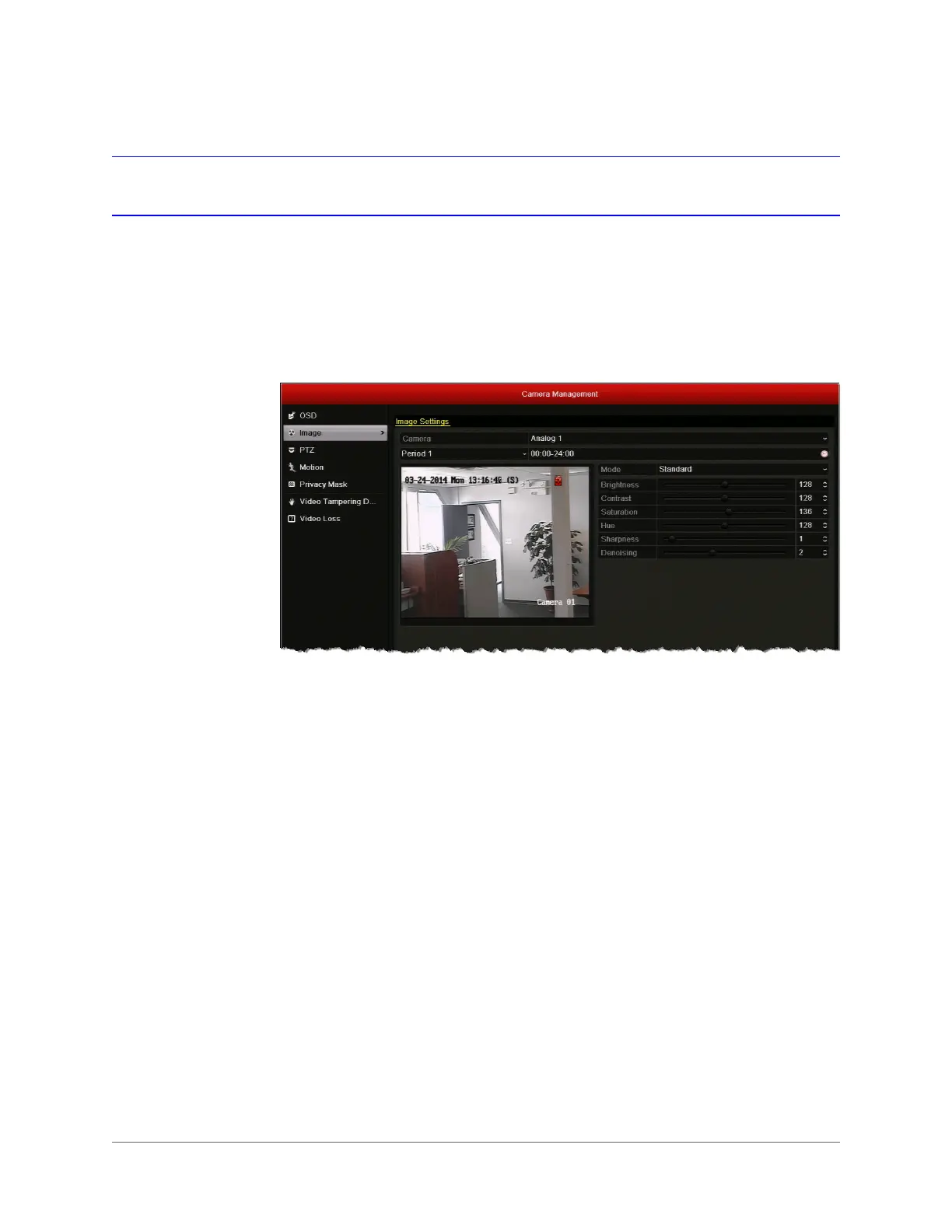
Configuring Image Settings
You can create customized image settings for up to two time periods per camera to
accommodate changing lighting conditions.
To configure camera image settings:
1. Go to Menu > Camera > Image.
2. Select the camera you want to configure image settings for.
3. For Period 1, specify the time range that you want to configure the image settings for
(such as 07:00–19:00).
4. Based on the anticipated lighting conditions for the specified time range, next to Mode,
select one of the following:
• Standard (default)
•Indoor
• Dim Light
• Outdoor
5. Adjust the following image settings by moving the slider or by clicking the up/down
arrows:
• Brightness (0–255)
• Contrast (0–255)
• Saturation (0–255)
• Hue (0–255)
• Sharpness (0–15)
• De-noising (0–5)
6. If you want to define different image settings for the remaining time (for example, from
19:01 to 06:59), select Period 2, and then repeat steps 7 and 8.



 To Next Page
 Loading...



