10-3
■ Antenna memory settings
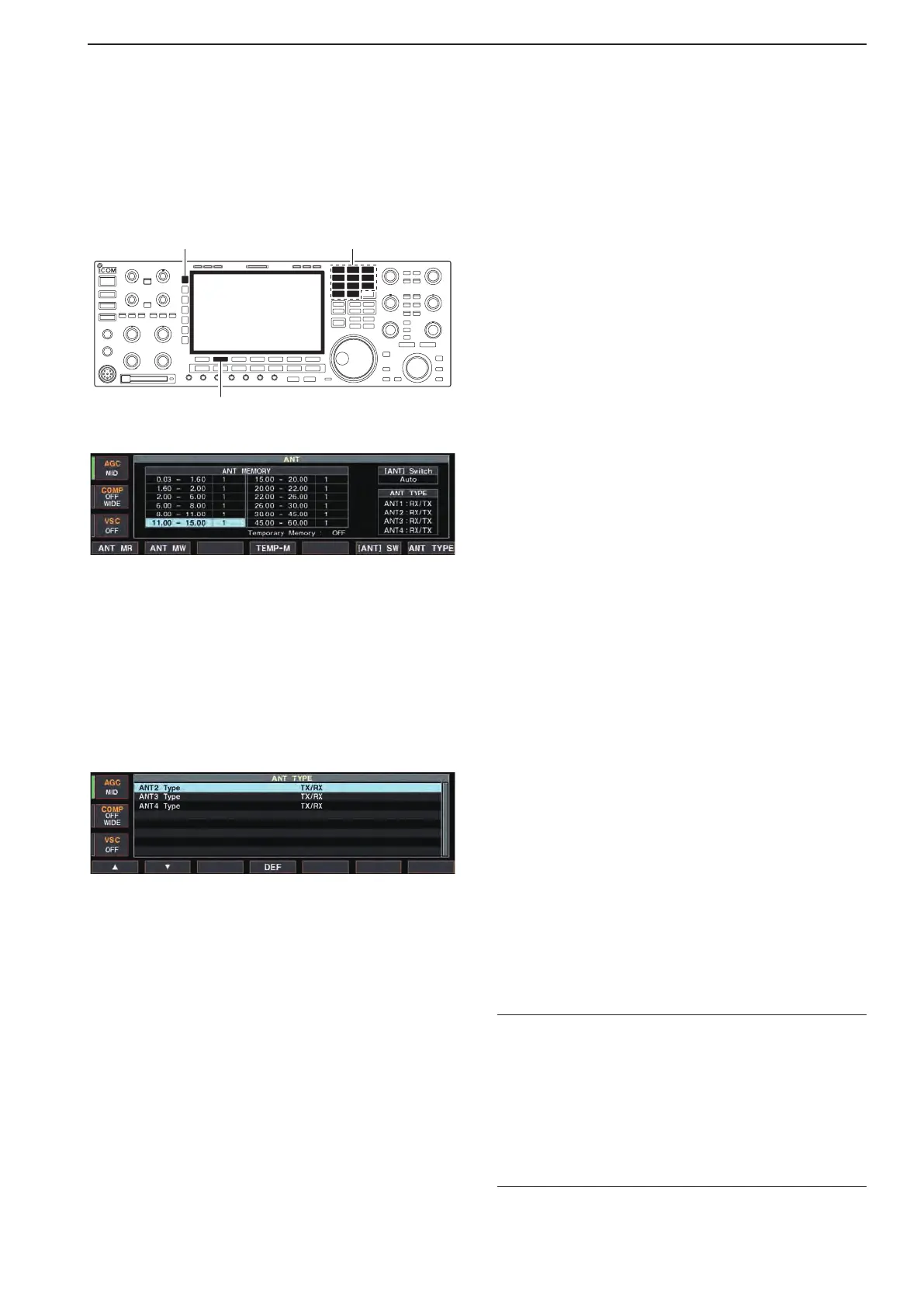
This function stores the antenna connector number for
each frequency band.
[ANT]
[F-2•ANT MW]
Band keys
q Push [EXIT/SET] several times to close multi-func-
tion screen, if necessary.
w Hold down [ANT] for 1 second to select antenna set
screen.
e Select the desired frequency band with a band key.
r Push [ANT] several times to select the desired an-
tenna number that you want to set for the selected
frequency band.
•“★” appears.
tHolddown[F-2•ANTMW]for1secondtostorethe
antenna selection into the antenna memory.
•“★” disappears.
y Repeat the steps e to t to store the antenna se-
lection for another frequency bands, if desired.
u Push [EXIT/SET] to exit antenna set screen.
D Antenna type selection
When no antenna is connected to [ANT2], [ANT3],
and/or [ANT4], these antenna connectors can be de-
activated— deleting the antenna number from selec-
tion. This prevent the transceiver from accidentally
transmitting into an empty antenna connector.
In addition, a receive-only antenna can be specified
for [ANT4].
q Select the antenna set screen as described above.
wPush[F-7•ANTTYPE]toselectantennatypeset
screen.
ePush[F-1•Y]or[F-2•Z] to select the desired an-
tenna.
r Rotate the main dial to select the desired antenna
condition from TX/RX, RX (ANT4 only) and OFF.
•TX/RX :Selectwhenanantennaisconnected.
•OFF :Selectwhennoantennaisconnected.
•RX :Selectwhenareceiveonlyantennais
connected. (available for the [ANT4] only)
t Push [EXIT/SET] to exit antenna type set screen.
✔ For your information
The “OFF” antennas cannot be selected with [ANT]
switch operation, or with the antenna memory setting.
When “RX” is selected for [ANT4], “1/R,” “2/R” and “3/
R” selections will be added for the selection for both
[ANT] switch operation and the antenna memory set-
ting. In these selections, using the antenna connected
to [ANT1], [ANT2] and/or [ANT3] for transmission and
using the antenna connected to [ANT4] for reception.
10
ANTENNA TUNER OPERATION



 To Next Page