13-4
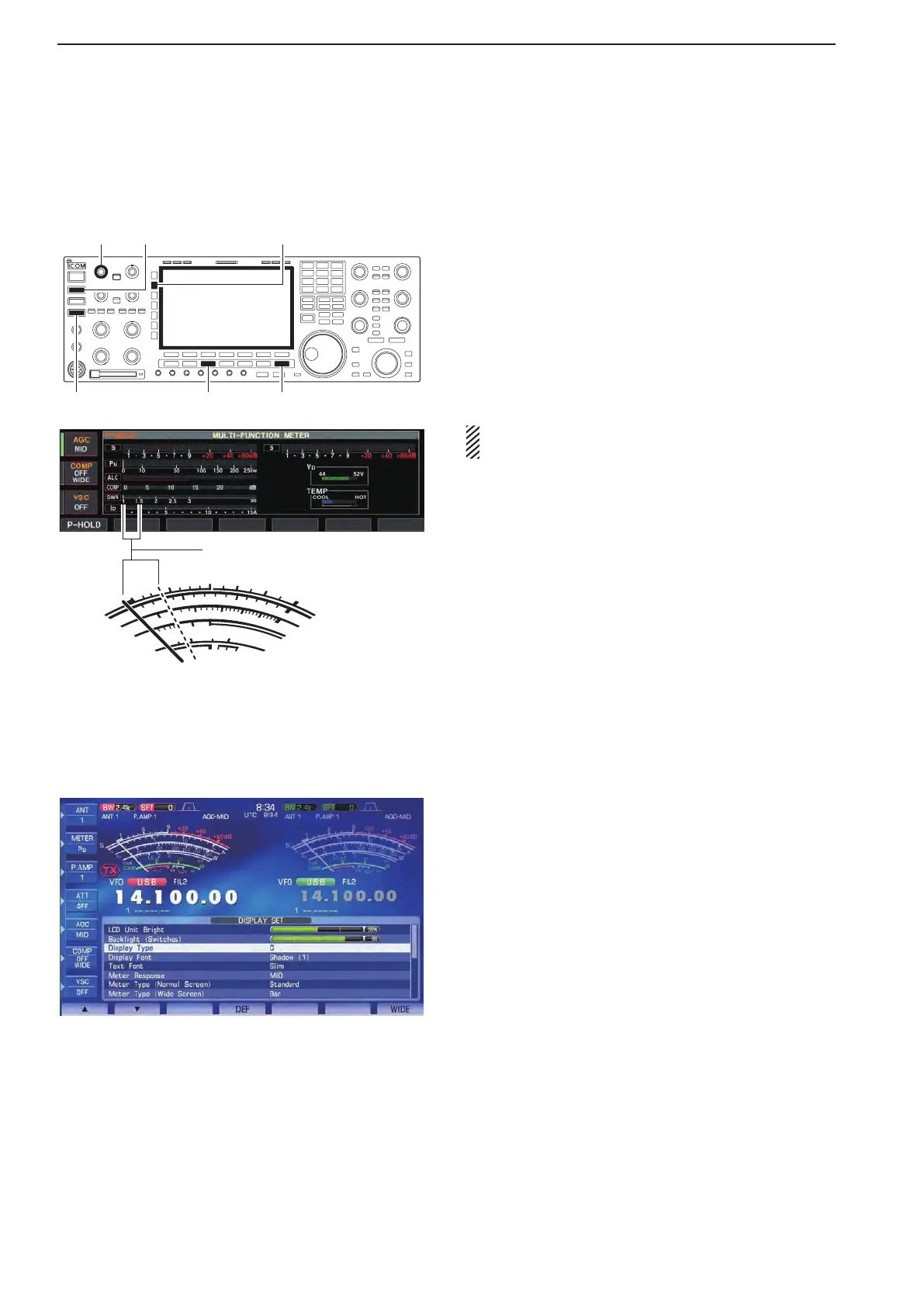
■ SWR reading
The SWR meter indicates the SWR over the transmis-
sion line in all modes.
[RF PWR]
[RTTY/PSK][EXIT/SET]
[METER][TRANSMIT]
[TUNER]
q Push [TUNER] to turn the antenna tuner OFF.
w Hold down [METER] for 1 second to display multi-
function meter.
e Push [RTTY/PSK] once or twice to select RTTY
mode.
r Push [TRANSMIT].
t Rotate [RF PWR] clockwise past the 12 o’clock po-
sition for more than 30 W output power.
y Read the SWR on the SWR meter gage.
u Push [EXIT/SET] to close multi-function meter.
S
I
D
0
5
10
15
0
0
10
44
ALC
52V
V
D
20
dB
1
1.5
2
3
∞
10
50
100
150
200
250
P
O
SWR
COMP
A
W
1
5
9
+
20
+
40
+
60dB
Better than 1.5:1
The built-in antenna tuner matches the transmitter to
the antenna when the SWR is lower than 3 : 1.
■ Screen type and font selections
3 types of screen images and 18 types of frequency
readout indication fonts are available in the IC-7800.
q Push [EXIT/SET] several times to close multi-func-
tion screen, if necessary.
wPush[F-7•SET]toselectsetmodemenuscreen.
ePush[F-3•DISP]toenterdisplaysetmode.
rPush[F-1•Y]or[F-2•Z] to select “Display Type”
item when selecting the screen image, select “Dis-
play Font” when selecting the frequency readout in-
dication font.
t Rotate the main dial to select the desired screen
image or font.
•ScreenimageisselectablefromA,BandC.
•Italic(1)/(2)/(3)/(4),Round(1)/(2)/(3),Shadow(1)/(2)/(3),
Qubic (1)/(2)/(3)/(4) and IC-780 (1)/(2)/(3)/(4) are avail-
able for the frequency readout font.
y Push [EXIT/SET] twice to exit from display set
mode.
13
MAINTENANCE
• Screen image example— type C



 To Next Page