12-33
12
SET MODE
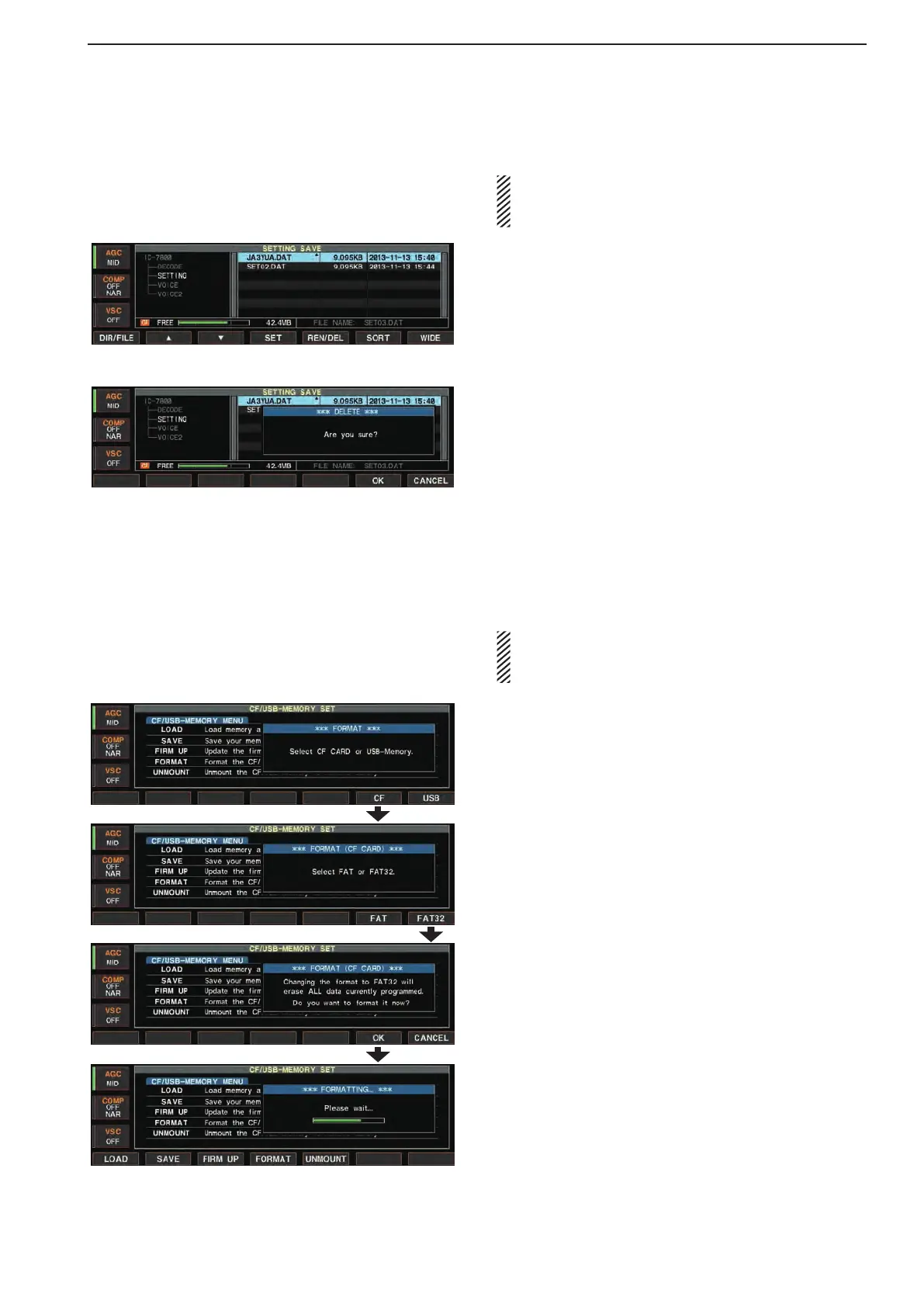
■ Deleting a file
RECOMMENDATION! Deleting the setting file is ir-
reversible. Confirm the contents before deleting a
setting file!
q During setting save screen display, hold down
[F-1•DIR/FILE]toselectthememorydevice.
wPush[F-1•DIR/FILE]toselecttreeviewscreen.
•Push[F-2•Y]or[F-3•Z] to select the desired folder.
•“DECODE,”“SETTING”and“VOICE”foldersareavail-
able as the default.
•Afterthefolderisselected,holddown[F-2•Ω ≈] for 1
second to display content folder(s), if available.
wPush[F-1•DIR/FILE]toselectfilelistscreen.
ePush[F-2•Y]or[F-3•Z] to select the desired file to
be deleted.
rHolddown[F-5•REN/DEL]for1second.
•Confirmationscreenappears.
tPush[F-6•OK]todelete.
•Afterthedeleting,returntosettingsavescreenauto-
matically.
■ Formatting the memory device
A saved data in the memory device can be erased.
IMPORTANT! Formatting erases all saved data in
the memory device. Making a backup file on your
PC is recommended.
q During CF/USB-Memory set menu screen, hold
down[F-4•FORMAT]for1second.
wPush[F-6•CF]or[F-7•USB]toselectthememory
device.
ePush[F-6•FAT]or[F-7•FAT32]toselecttheformat
type.
•Confirmationscreenappears.
rPush[F-6•OK]toformat.
•Push[F-7•CANCEL]tocancel.
t Automatically returns to the CF/USB-Memory set
menu screen.



 To Next Page