16-3
■ Preparation
D Firmware and firm utility
The latest firmware and the firm utility can be down-
loaded from the Icom home page via the internet. Ac-
cess the following URL to download the firm utility and
the latest firmware.
http://www.icom.co.jp/world/index.html
For updating from the memory device
When updating the firmware from the memory de-
vice, copy the downloaded firmware data
(example:
7800_300.dat)
to the memory device (in “IC-7800” folder).
Usable memory device are CF memory card and USB
flash drive. When using a CF memory card, a mem-
ory card reader is required. (Purchase separately from
your PC dealer)
.
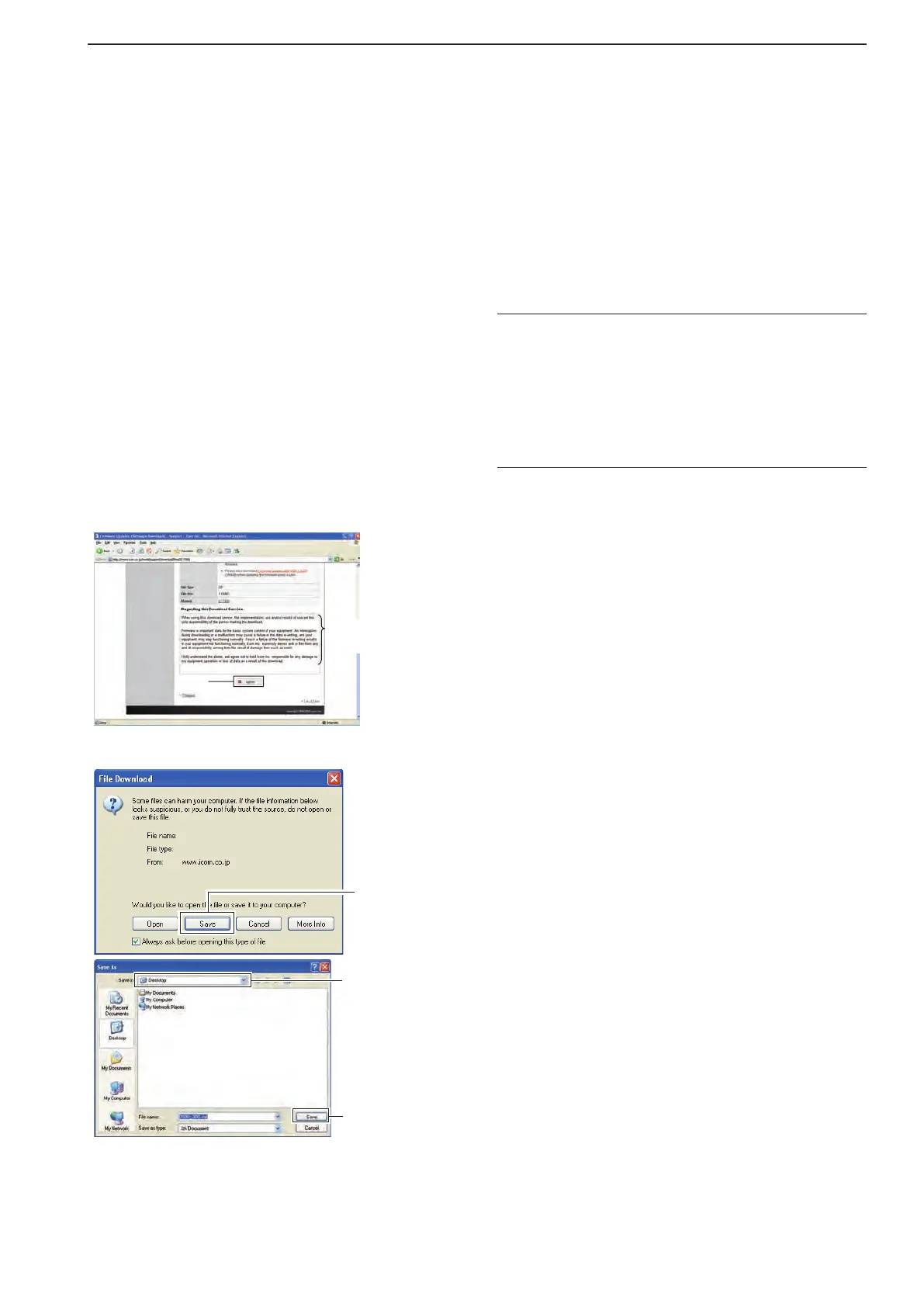
D File downloading
q Access the following URL.
http://www.icom.co.jp/world/index.html
w Click [Support] button.
e Click “Firmware Updates/Software Downloads”
link.
r Click the desired firmware file link in IC-7800
group.
t Read “Regarding this Download Service” carefully,
then click [Agree].
y Click [Save] in the displayed File Download dialog.
Select the saving
location
Click
u Select the desired location that you want to save the
firmware to, then click [Save] in the displayed File
Download dialog.
•Filedownloadstarts.
i After download is completed, extract the file.
•Thefirmwareandthefirmutilityarecompressedin“zip”
format, respectively.
•When updatingthe transceiverusing withthemem-
ory device, copy the extracted firmware (example:
7800_300.dat) to the IC-7800 folder of the memory de-
vice.
•The memory device must be formatted with the IC-
7800.
16
UPDATING THE FIRMWARE



 To Next Page