10-4
■ Antenna memory settings (continued)
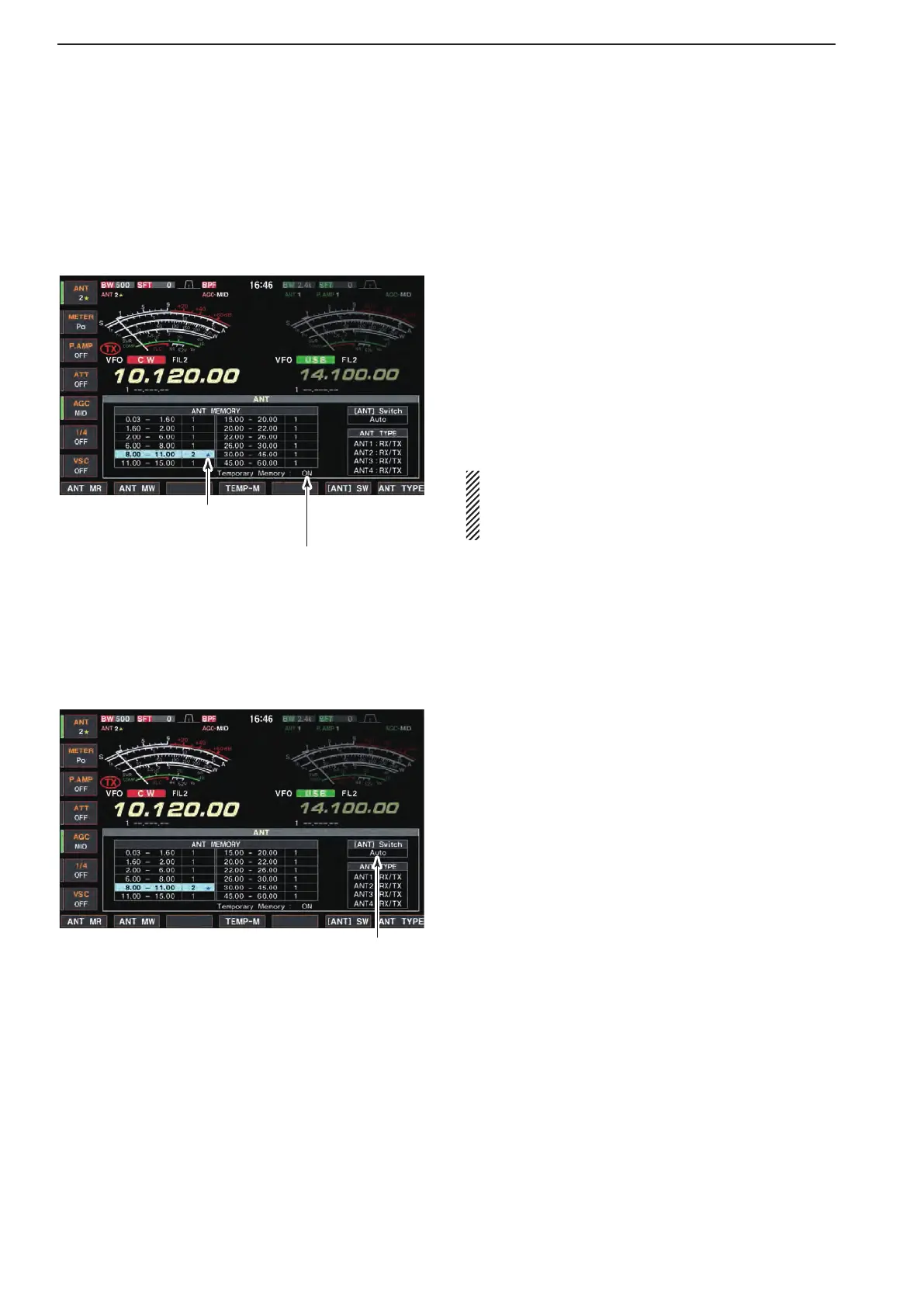
D Temporary memory
The antenna temporary memory memorizes the man-
ually selected antenna. The selected antenna will be
re-called even if frequency band has been changed.
“�” appears when a different antenna
from the original is selected.
Push [F-4•TEMP-M] to turn the
temporary memory ON and OFF.
q Select the antenna set screen.
wPush[F-4•TEMP-M]toturnthetemporarymemory
ON or OFF.
e Select the desired frequency band with a band key.
r Push [ANT] to select the desired antenna.
•“★” appears when a different antenna from the original
is selected.
t Push[F-1•ANTMR]tore-calltheoriginalantenna.
•“★” disappears.
y Push [EXIT/SET] to exit antenna set screen.
CAUTION: Before transmitting with the manually
selected antenna, make sure the selected antenna
suits the operating frequency. Otherwise the trans-
ceiver may be damaged.
D Antenna selection mode
The automatic antenna selection (antenna memory)
and the [ANT] switch function can be deactivated if de-
sired.
Push[F-6•[ANT]SW]toselectthe
antenna selection mode.
q Select the antenna set screen.
wPush[F-6•[ANT]SW]toselecttheantennaselec-
tion from Auto, OFF and Manual.
•Auto :Usetheantennamemory.Antennase-
lection with [ANT] switch is also avail-
able.
•OFF :Onlytheantennaconnectedto[ANT1]
can be used. [ANT] switch is deacti-
vated.
•Manual :Deactivatetheantennamemoryfunc-
tion. Antenna can be selected with
[ANT] switch operation only.
e Push [EXIT/SET] to exit antenna set screen.
10
ANTENNA TUNER OPERATION



 To Next Page