13-7
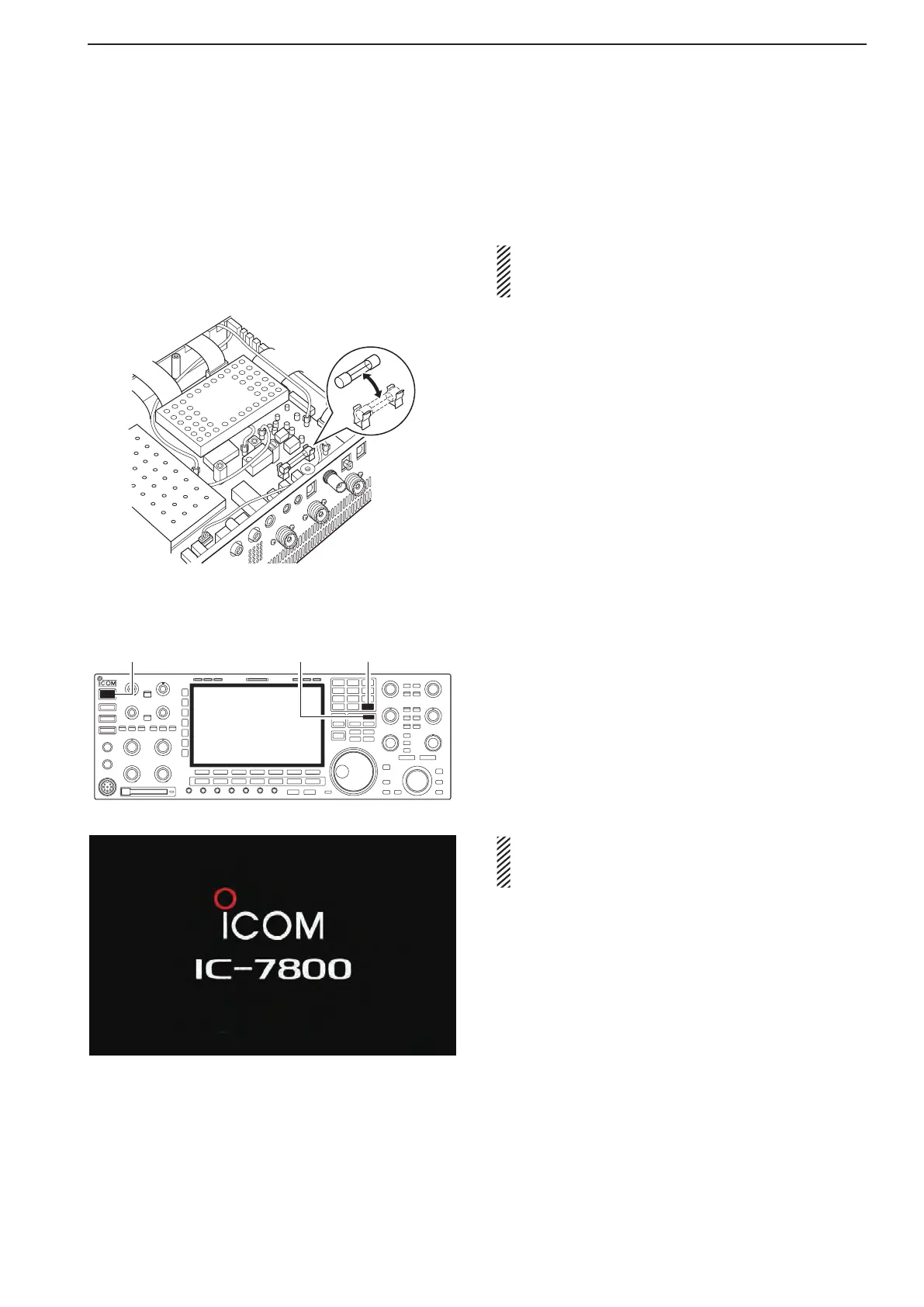
■ Fuse replacement
When no external DC output is available from [EXT
DC] and ACC connectors, the internal fuse may be
open. Replace the fuse in this case.
RWARNING! DISCONNECT the AC power cable
from the AC outlet before removing the transceiv-
er’s cover.
q Remove the bottom cover as shown left.
w Replace the open fuse with a new, properly rated
one (FGB 2 A) as shown at left.
e Replace the bottom cover.
■ Resetting the CPU
q Turn the main power switch on the rear panel ON.
•MakesurethetransceiverpowerisstillOFF.
wWhileholdingdown[F-INP•e n t ] and [MW], push
[POWER] to turn power ON.
•TheinternalCPUisreset.
•TheCPUstart-uptakesapproximately5seconds.
•The transceiver displays its initial VFO frequencies
when resetting is complete.
e Correct the set mode settings after resetting, if de-
sired.
NOTE: Resetting CLEARS all programmed contents
in memory channels and returns programmed val-
ues in set mode to default values.
13
MAINTENANCE
ALL CLEAR



 To Next Page