2001 NEW
9
2001 NEW 2001 NEW
MENU SCREEN
4
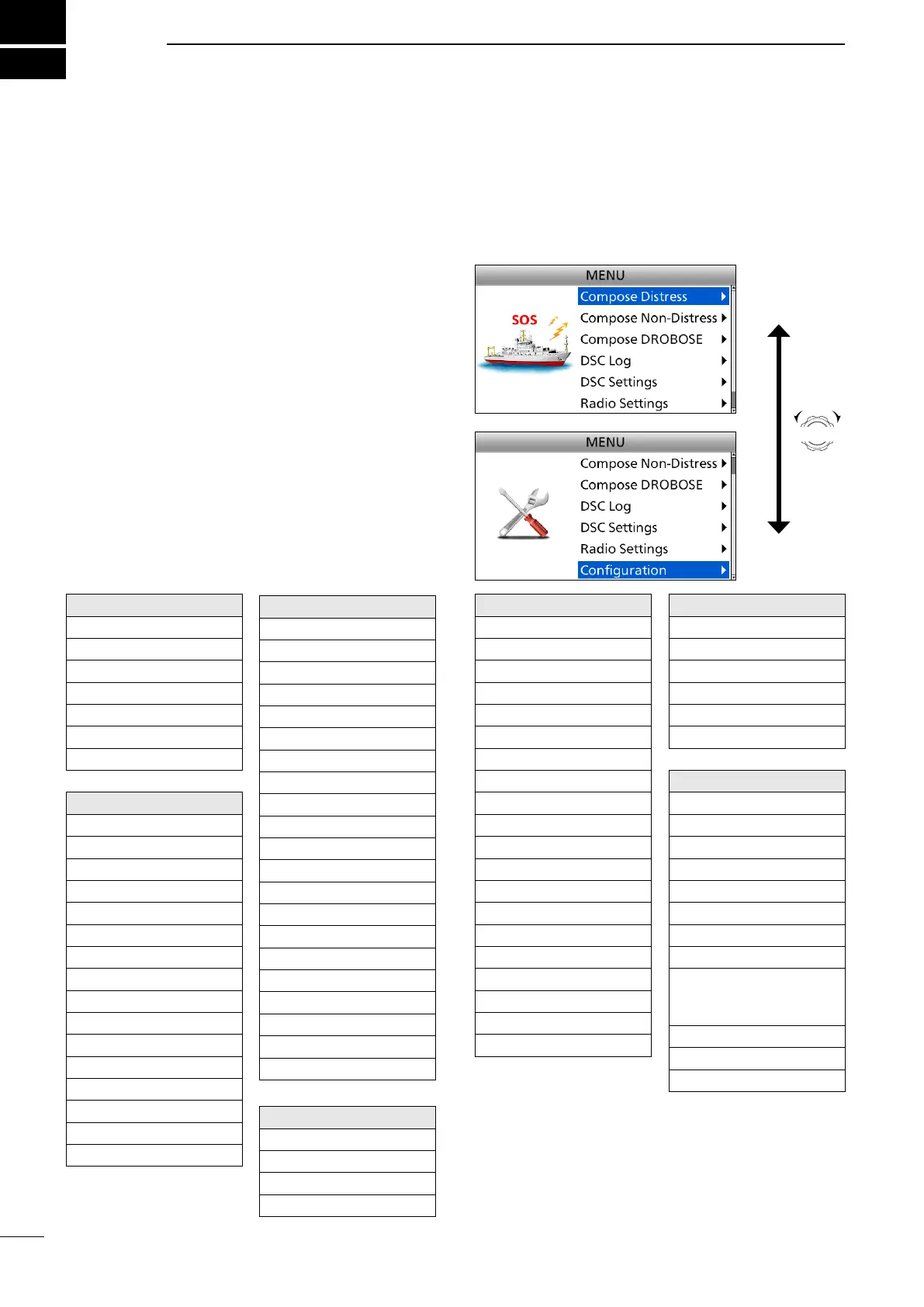
■ Menu Construction
You can use the Menu screen to set infrequently
changed values or function settings.
The Menu screen is constructed in a tree structure.
You can go to the next tree level by pushing [ENT], or
go back a level by pushing [CLR]. See the next page
for details.
To select an item, rotate [CH/GRP].
Compose Distress
Nature of Distress
Position
• Latitude
• Longitude
• UTC
Mode
Attempt
Compose Non-Distress
Message Type
Address*
1
Area*
1
• Latitude*
1
• Longitude*
1
• Radius*
1
• Behind You*
1
• To Your Right*
1
Category
Call Frequency
• RX Frequency
• TX Frequency
Mode*
1
Comm Frequency*
1
• RX Frequency*
1
• TX Frequency*
1
DSC Settings
Position Input*
2
Individual ID
Group ID
DSC Frequency
Individual ACK
Position ACK
Polling ACK
Test ACK
Medical Transports
Ships and Aircraft
Distress Scanning Receiver
10 Second Delay
Alarm Status
• Safety
• Routine
• Warning
• Self-Terminate
• Discrete
Auto Print
DSC Loop Test
Radio Settings
User CHAN
ITU Simplex CHAN
Max User CHAN
Auto Tune
Scan
Voice SQL
Conguration
Key Beep
NMEA Data Output
• DSC Data Output
Assignment
UTC Offset
Inactivity Timer
• Not DSC Related
• DSC Related
• RT Related-J3E/
H3E/LSB/J2B/F1B/
A1A
• Distress Related
MIC Key
Software Version
Compose DROBOSE
Message Type
Address
Area*
1
• Latitude*
1
• Longitude*
1
• Radius*
1
• Behind You*
1
• To Your Right*
1
Distress ID
Nature of Distress
Position
• Latitude
• Longitude
• UTC
Call Frequency
• RX Frequency
• TX Frequency
Mode
Comm Frequency
• RX Frequency
• TX Frequency
DSC Log
Received Call Log
• Distress
• Others
Transmitted Call Log
Rotate
CH/GRP
*
1
These items may not be displayed, depending on
the “Message Type” option.
*
2
This item is not displayed when valid GPS data is
received.



 To Next Page